
In today’s fast-paced business environment, digital signature solutions are no longer a luxury—they’re a necessity. Whether you're managing legal contracts, onboarding employees, or streamlining client approvals, the ability to customize digital signature workflows to meet your industry’s unique requirements is critical for operational efficiency and compliance. Yet, many businesses struggle to adapt their workflows effectively, resulting in inefficiencies and missed opportunities.
In this comprehensive guide, we’ll explore how small to medium-sized businesses (SMBs) and enterprises can tailor digital signature workflows to their specific industries. From understanding the fundamentals of e-signature customization to diving into industry-specific use cases, this article provides actionable insights to help you optimize your processes and improve your bottom line.
1. Understanding the Fundamentals of Digital Signature Workflow Customization
Before diving into industry specifics, it’s essential to understand what customization means in the context of digital signature workflows. At its core, customization involves adapting standard e-signature solutions to align with your organization’s unique operational, legal, and compliance needs.
Customization can include:
- Automating repetitive tasks, such as document routing or approval escalations.
- Integrating e-signature solutions with existing software like CRMs, ERPs, or HR systems.
- Designing workflows that comply with industry regulations, such as HIPAA or GDPR.
- Personalizing branding elements, such as logos, colors, and email templates, to reflect your organization’s identity.
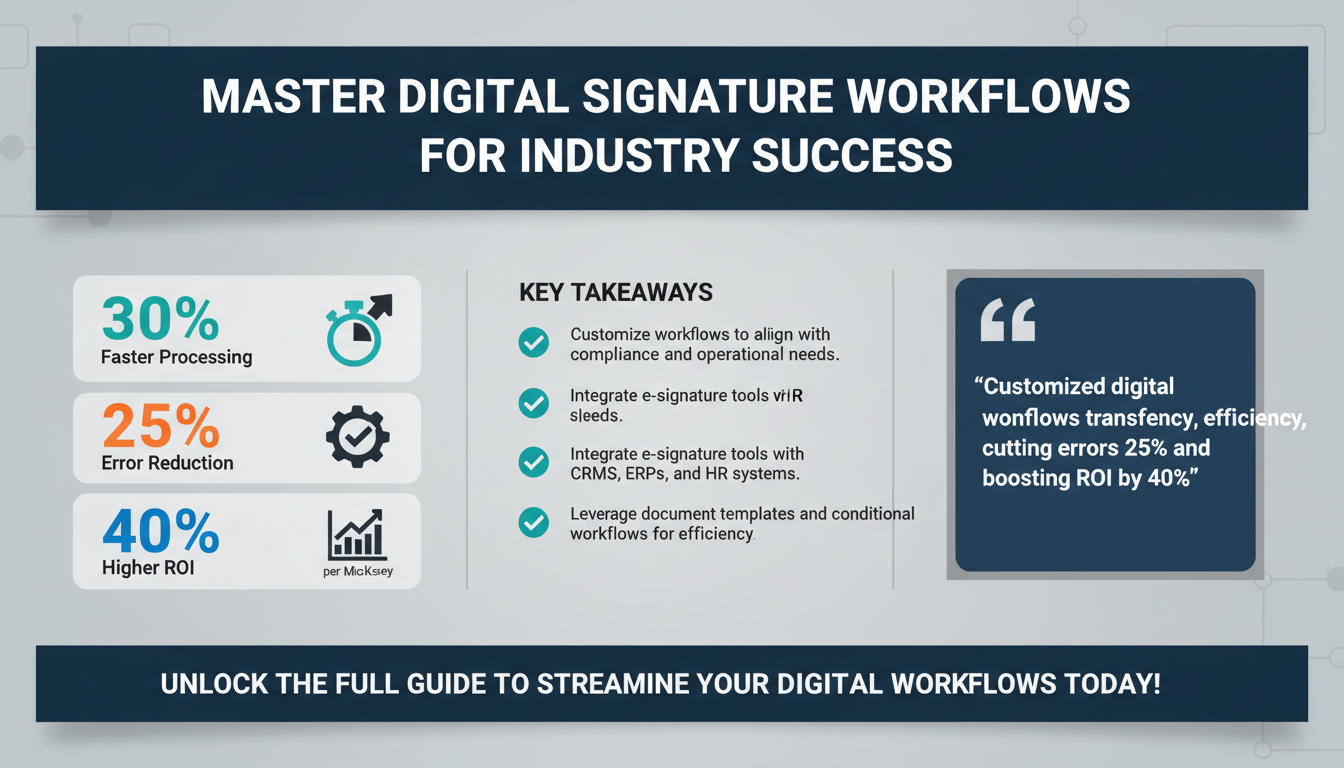
According to a 2025 report by Gartner, businesses that implement customized digital workflows experience a 30% improvement in processing speed and a 25% reduction in errors. These efficiencies translate directly into cost savings and enhanced customer satisfaction.

For businesses new to digital signature solutions, a good starting point is selecting a platform like Zignature, which offers robust customization tools and seamless integration capabilities.
Key Features of Customizable Digital Signature Solutions
When evaluating digital signature platforms, it’s essential to focus on features that enable comprehensive customization. These include:
- Document Templates: Pre-configured templates for frequently used documents, such as NDAs, contracts, and forms, save time and ensure consistency.
- Conditional Workflows: Advanced logic that adapts workflows based on specific conditions, such as document type or recipient role.
- Multi-Language Support: Essential for businesses operating in multiple countries, ensuring documents are accessible to diverse stakeholders.
By leveraging these features, businesses can create workflows that are both user-friendly and optimized for efficiency.
Pro Tip:
When choosing a platform, ensure it supports API integrations. This allows your IT team to build custom connectors and automate tasks, further enhancing the platform’s functionality.
2. Mapping Your Current Workflow: The Key to Effective Customization
Before implementing any changes, it’s crucial to map out your existing workflow. This process helps identify bottlenecks, redundancies, and opportunities for improvement. Start by answering these questions:
- What types of documents require signatures?
- Who are the stakeholders involved in the approval process?
- What compliance regulations must be adhered to?
- Are there specific tools or systems that need to integrate with your e-signature solution?
A study by McKinsey found that companies that clearly define their workflows before implementing automation achieve 40% higher ROI compared to those that don’t. Mapping your workflow not only aids in customization but also ensures that your digital signature solution aligns with your overarching business objectives.

Steps to Map Your Current Workflow
Here’s a step-by-step guide for effectively mapping your workflow:
- Document All Current Processes: Write down every step involved in your existing workflow, from document creation to final storage.
- Identify Key Stakeholders: Determine who is responsible for each step and their specific roles.
- Pinpoint Bottlenecks: Identify areas where delays or errors frequently occur, such as manual data entry or waiting for approvals.
- Evaluate Current Tools: List the software and tools you currently use and assess how well they meet your needs.
Expert Insight:
“One of the most common mistakes businesses make is skipping the mapping process and going straight to implementation,” says Sarah Mitchell, a workflow optimization consultant. “Without a clear understanding of their current processes, they often end up automating inefficiencies rather than eliminating them.”
Once your workflow is fully mapped, use the insights to create a strategic plan for customization. This ensures that your digital signature solution addresses both immediate challenges and long-term goals.
Checklist for Workflow Mapping:
- ✅ List all documents that require signatures.
- ✅ Identify every step in your current approval process.
- ✅ Note the tools and systems currently in use.
- ✅ Highlight pain points and areas for improvement.
3. Industry-Specific Customization Examples
Different industries have unique requirements when it comes to digital signature workflows. Here are some tailored examples:
Legal Industry
Law firms deal with sensitive documents that require airtight security and compliance. Customization options include:
- Securing documents with advanced encryption and audit trails.
- Integrating with legal practice management software to streamline case workflows.
- Automating client approval processes to reduce turnaround times.
Healthcare Industry
Healthcare organizations must comply with HIPAA regulations, making customization essential for protecting patient data. Key features include:
- Embedding e-signature solutions into electronic health record (EHR) systems.
- Enabling multi-factor authentication for added security.
- Automating patient consent forms and insurance approvals.
Real Estate
In real estate, speed and accuracy are critical. Customization options may involve:
- Integrating e-signature tools with real estate CRMs for seamless client communication.
- Customizing templates for common documents like purchase agreements.
- Automating reminders to ensure timely contract execution.
For more examples, check out 10 Industry-Specific Use Cases for Digital Signatures.
4. Integrating E-Signatures with Existing Systems
Integration is a cornerstone of customization. By connecting your e-signature solution with existing tools, you can create a seamless, end-to-end workflow. Common integrations include:
- CRMs: Automatically sync signed documents with customer profiles in tools like Salesforce.
- HR Systems: Simplify employee onboarding by automating document collection and storage.
- ERP Solutions: Streamline procurement processes by integrating with platforms like SAP or Oracle.
According to a report by Forrester, organizations that integrate their e-signature solutions with other software achieve 50% faster processing times and a 20% reduction in administrative costs.

For step-by-step guidance, see our article on seamlessly integrating e-signatures into your software stack.
5. Ensuring Compliance Across Industries
Compliance is non-negotiable for many industries. Digital signature workflows must adhere to regulations such as:
- GDPR: For organizations operating in the EU or handling EU citizens’ data.
- HIPAA: For healthcare providers managing patient information.
- ESIGN Act and UETA: For ensuring the legal validity of electronic signatures in the U.S.
One critical step is to work with an e-signature provider that offers built-in compliance features. Platforms like Zignature include audit trails, encryption, and region-specific compliance settings.

For healthcare-specific compliance tips, read our guide on how digital signatures support HIPAA compliance.
6. Measuring ROI and Efficiency Gains
How do you measure the success of your customized digital signature workflows? Key metrics include:
- Processing Time: How long it takes to complete a document cycle.
- Error Rates: Reduction in errors due to automation.
- Cost Savings: Reduction in administrative expenses.
A 2025 study by Statista found that companies using customized e-signature solutions save an average of $20 per document compared to traditional methods.
For a deeper dive, see our article on measuring digital signature ROI.
7. Common Mistakes to Avoid
Even with the best intentions, businesses often make mistakes when customizing workflows. Here are some pitfalls to avoid:
- Overcomplicating workflows with unnecessary steps.
- Failing to train employees on new processes.
- Ignoring compliance requirements.
- Choosing a provider that lacks robust customization options.
For more insights, read our guide on preventing human errors in business workflows.
8. FAQs
What industries benefit most from customized digital signature workflows?
Industries like legal, healthcare, real estate, and finance benefit greatly due to their complex compliance and operational needs.
How can I ensure compliance with international regulations?
Work with a provider like Zignature that offers region-specific compliance settings and audit trails.
Can I integrate digital signatures with my existing CRM?
Yes, most platforms support integrations with CRMs like Salesforce and HubSpot, enabling seamless workflows.
What metrics should I track to measure success?
Track processing time, error rates, and cost savings to evaluate the effectiveness of your workflows.
Conclusion
Customizing digital signature workflows for your industry is no longer optional—it’s a strategic imperative. Whether you’re in healthcare, legal, or real estate, tailoring your workflows can lead to significant efficiency gains, cost savings, and compliance assurance. By mapping your current processes, integrating with existing tools, and leveraging industry-specific features, you can unlock the full potential of digital signatures.
Ready to take the next step? Explore Zignature’s customization features, or check out complementary solutions like Apparatuz for workflow automation and Schedly for appointment management. Together, these tools can transform how your business operates.