
The dream of a paperless office has been a topic of discussion for decades. However, it has evolved from being a lofty aspiration to a practical and urgent necessity. In today’s fast-paced business landscape, particularly in 2026, small and medium-sized businesses (SMBs) face mounting pressure to reduce costs, streamline operations, and address sustainability goals. Adopting digital signature solutions is one of the most effective ways to achieve these objectives while minimizing paper use and enhancing document workflows.
Transitioning to a paperless office is about more than just environmental benefits—it’s about improving efficiency, cutting costs, and staying competitive in a digital-first world. This detailed guide outlines seven practical strategies SMBs can implement to achieve a paperless office using digital signatures. Each strategy offers actionable insights, real-world examples, and expert advice to ensure a smooth and successful transformation.
1. Digitize Your Existing Paper-Based Workflows
The first step for SMBs aiming to create a paperless office is to digitize their current paper-based workflows. This process begins with auditing existing operations to identify paper-heavy areas that can be streamlined through digitization. Common culprits include contract management, HR onboarding, vendor agreements, and customer communications.

For example, consider how contract management is typically handled in traditional offices. Contracts often need to be printed, signed, scanned, and then stored in physical filing cabinets. This process is time-consuming, prone to errors, and inefficient. By transitioning to digital signatures, businesses can sign contracts electronically, send them instantly, and store them securely in the cloud.
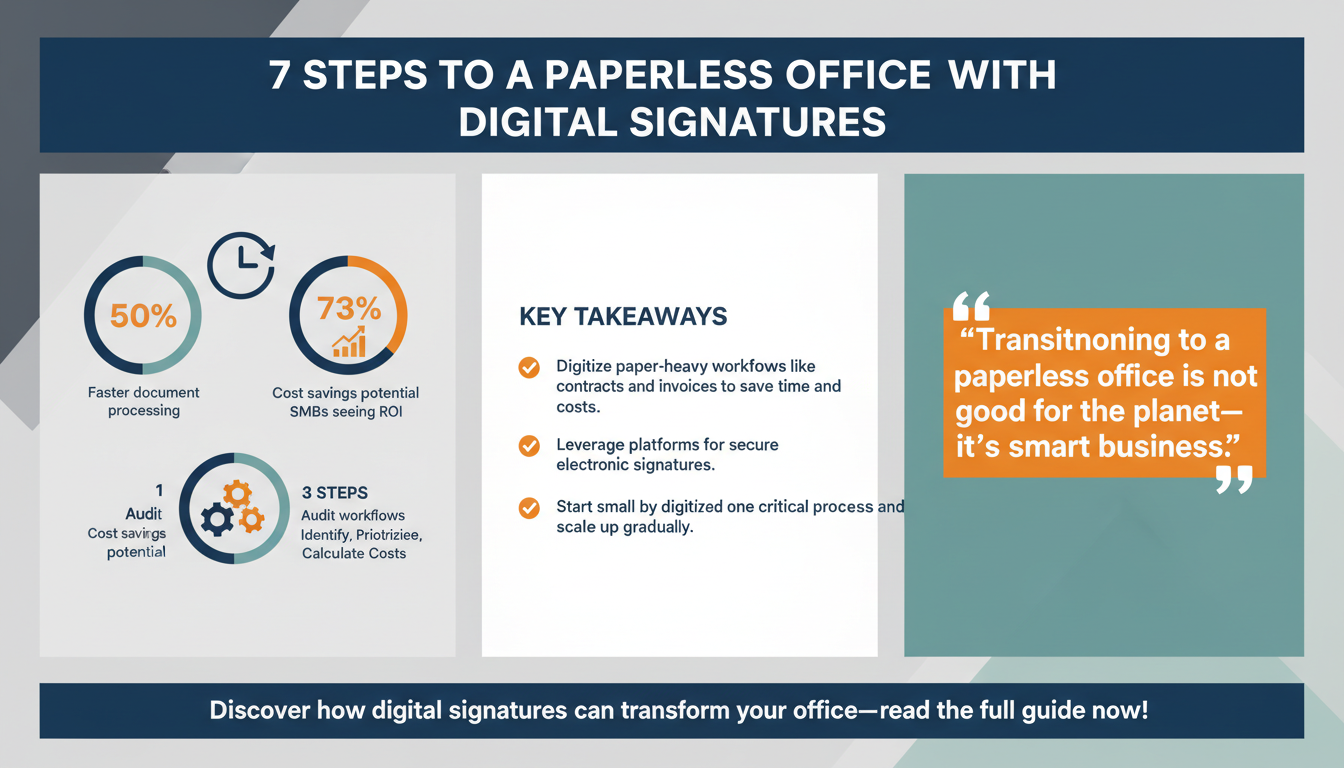
Platforms such as Zignature and DocuSign enable users to sign, send, and archive documents digitally, eliminating the need for paper entirely. This not only reduces waste but also significantly speeds up the workflow. For instance, digital signatures can cut document processing times by up to 50%, according to industry studies.
Take the example of a small marketing agency that digitized its client onboarding process. Previously, the team printed contracts, mailed them to clients, and waited days or even weeks for them to be returned. With digital signature tools, the agency now completes the entire process within hours, allowing projects to kick off sooner and reducing administrative overhead.
Steps to Identify Paper-Heavy Workflows
To get started, SMBs can follow these steps to identify processes that would benefit the most from digitization:
- Audit All Departments: Conduct a thorough review of operations across departments, including HR, finance, and sales.
- Prioritize High-Impact Areas: Focus on workflows that require frequent printing, signing, and storage, such as contracts and invoices.
- Assess Costs: Calculate the time and financial costs associated with maintaining paper-based workflows to understand the potential ROI of digitization.
Pro Tip:
“Start small and scale up. Focus on digitizing one critical workflow first, such as client contracts, and use it as a model for other areas,” advises Laura Martinez, a digital transformation consultant.
Quick Win:
- Identify the most paper-heavy workflow in your business, such as contract signing or invoice approvals, and migrate it to a digital signature platform.
- Use cloud storage solutions like Google Drive or Dropbox to securely archive digital documents.
Key Takeaway:
- Digitizing workflows not only reduces paper usage but also improves operational efficiency, accelerates turnaround times, and ensures compliance.
2. Automate Document Workflows with E-Signature Platforms
Automation is the backbone of an efficient paperless office. Digital signature platforms like Zignature, DocuSign, and Adobe Sign offer robust workflow automation features that allow SMBs to create, send, and manage documents with minimal manual intervention. Automation reduces errors, ensures compliance, and significantly speeds up processing times.

Consider the HR onboarding process. Traditionally, new employees are required to fill out multiple forms, print them, sign them, and return them to HR. By automating this workflow with e-signature tools, employees can complete their paperwork online in minutes. The process becomes seamless, efficient, and error-free. Additionally, automated workflows ensure that no step is missed, as reminders and notifications can be built into the system.
According to Gartner, businesses that leverage workflow automation experience a 40% reduction in document cycle times. This means contracts that once took days to finalize can now be completed within hours. For SMBs, this translates into faster decision-making and improved customer satisfaction.
For instance, a small recruitment agency that automated its candidate placement contracts saw a 60% improvement in processing time. By integrating e-signature tools into its workflow, the agency accelerated client approvals and reduced delays, giving it a competitive edge in a fast-moving industry.
Benefits of Automation
Beyond improving efficiency, automation also provides other key advantages:
- Consistency: Automated workflows ensure uniformity in document handling, reducing the risk of errors such as missed signatures.
- Scalability: As your business grows, automated workflows can handle increased document volumes without additional resources.
- Transparency: Automation platforms often include tracking features, allowing you to monitor the status of documents in real-time.
Expert Insight:
“Automation is no longer optional for SMBs—it’s a competitive necessity. E-signatures enable businesses to scale efficiently without adding overhead,” says Sarah Liu, a workflow automation consultant.
Checklist for Automation Success
- Choose a platform with robust automation features, such as templates and reminders.
- Integrate the platform with your existing tools, like CRM or ERP software, for seamless workflows.
- Train your team to use automation features effectively to maximize adoption and ROI.
Key Takeaway:
- Automating document workflows with e-signature platforms saves time, minimizes errors, and enhances overall efficiency, allowing SMBs to focus on strategic goals.
3. Centralize Document Storage in the Cloud
One of the most significant benefits of adopting a paperless office is centralized document storage. Cloud-based solutions enable SMBs to store all their documents in one secure location, making it easy to access, share, and retrieve files. Digital signature platforms often integrate seamlessly with cloud storage providers like Google Drive, Dropbox, and OneDrive, creating a unified system for document management.

Centralized cloud storage offers several advantages. It eliminates the need for bulky filing cabinets, reduces the risk of losing important documents, and simplifies collaboration among team members. Additionally, cloud storage solutions provide advanced security features, including encryption and user permissions, to protect sensitive information.
According to an IDC report, businesses that adopt cloud storage see a 25% reduction in operational costs and a 60% improvement in data accessibility. For SMBs, these benefits can translate into significant savings and enhanced productivity.
For example, a small accounting firm that transitioned to cloud-based storage reduced its physical storage space by 80%, freeing up office space for more productive uses. The firm also improved client satisfaction by providing instant access to financial reports and other documents.
How to Organize Your Cloud Storage
To maximize the benefits of cloud storage, SMBs should focus on organization and security:
- Create a Folder Structure: Develop a consistent folder hierarchy based on departments, projects, or clients to make files easy to locate.
- Implement Naming Conventions: Use standardized file names that include relevant details like dates and project names.
- Set Permissions: Restrict access to sensitive documents based on roles to enhance security.
Pro Tip:
“Regularly audit your cloud storage to eliminate redundant files and ensure documents are properly categorized. This keeps your system efficient and easy to navigate,” advises Alex Carter, a cloud technology specialist.
Key Takeaway:
- Centralizing document storage in the cloud enhances security, accessibility, and collaboration while reducing costs and physical storage requirements.
4. Train Employees on Paperless Practices
The success of a paperless office depends heavily on employee adoption. SMBs must invest in training programs to educate their teams about the benefits of digital signatures and paperless workflows. Employees need to understand how to use e-signature tools effectively, follow best practices for digital document management, and embrace the cultural shift toward a paperless environment.

Training can take various forms, including workshops, webinars, and hands-on sessions. Providing employees with step-by-step guides and video tutorials can also be helpful. Additionally, ongoing support is crucial to address any challenges employees may face during the transition.
A McKinsey study found that businesses with robust training programs see a 73% higher adoption rate of new technologies. For SMBs, this means that investing in employee education is key to ensuring a smooth transition to a paperless office.
Effective Training Methods
To ensure employees embrace paperless practices, consider these training approaches:
- Role-Based Training: Tailor training sessions to the specific needs of each department, focusing on the workflows and tools relevant to their roles.
- Gamification: Use gamified elements, such as quizzes and competitions, to make training engaging and encourage participation.
- Feedback Mechanisms: Collect feedback from employees to improve training programs and address any concerns.
Key Takeaway:
- Employee training is critical for successful implementation of paperless strategies. A well-informed team is more likely to embrace and sustain the transition.
5. Leverage Digital Signature Platforms for Compliance
Compliance is a top priority for SMBs, especially in highly regulated industries such as healthcare, finance, and legal services. Digital signature platforms ensure that documents meet stringent regulatory requirements, including HIPAA, GDPR, and eIDAS standards. E-signatures provide a secure, legally binding way to execute contracts while maintaining detailed audit trails for accountability.
Platforms like Zignature offer advanced features such as two-factor authentication, encryption, and tamper-proof technology to enhance security and ensure compliance. These tools help SMBs avoid legal pitfalls and maintain trust with clients and stakeholders.
According to a Deloitte report, businesses that adopt digital compliance tools reduce regulatory risks by 45%. For SMBs, this can mean avoiding costly penalties and protecting their reputation.
Checklist for Compliance
To ensure your digital signature solution meets compliance standards, consider the following:
- Verify that the platform adheres to industry-specific regulations like HIPAA or GDPR.
- Look for features such as audit trails, encryption, and secure access controls.
- Regularly review compliance updates to stay ahead of regulatory changes.
Key Takeaway:
- Digital signature platforms simplify compliance, enhance security, and protect SMBs from regulatory risks.
6. Integrate Digital Signatures Across Departments
To fully realize the benefits of a paperless office, SMBs should integrate digital signatures across all departments. From HR to finance to sales, every team can benefit from streamlined workflows, reduced paper usage, and improved collaboration. Integration ensures consistency and maximizes the ROI of paperless initiatives.
For example, finance teams can use digital signatures to approve budgets and invoices, while sales teams can close deals faster by signing contracts electronically. HR departments can streamline onboarding processes, and legal teams can expedite contract approvals.
Research from BCG found that cross-departmental integration increases productivity by 25%. SMBs can achieve this by conducting a thorough audit of departmental workflows and identifying opportunities for integration.
Pro Tip:
“Leverage APIs offered by digital signature platforms to integrate e-signatures directly into your CRM, ERP, or project management tools for seamless workflows,” suggests Kevin Brown, a systems integration expert.
Key Takeaway:
- Integrating digital signatures across departments enhances collaboration, ensures consistency, and maximizes the benefits of a paperless office.
7. Monitor Progress and Optimize Practices
Building a paperless office is not a one-time project—it’s an ongoing process that requires continuous monitoring and optimization. SMBs should track metrics such as paper savings, workflow efficiency, and document cycle times to identify areas for improvement.
Many digital signature platforms include analytics dashboards that provide valuable insights into document workflows. These tools enable SMBs to pinpoint bottlenecks, measure adoption rates, and refine their processes to maximize ROI.
According to Statista, businesses that continuously optimize their paperless practices achieve 30% higher efficiency over time. For SMBs, this means staying ahead of competitors and adapting to changing market conditions.
Steps for Continuous Optimization
Follow these steps to ensure ongoing improvement:
- Set Benchmarks: Define clear KPIs to measure the success of your paperless initiatives, such as time saved per document or reduction in printing costs.
- Collect Feedback: Regularly solicit feedback from employees and clients to identify pain points and areas for improvement.
- Stay Updated: Keep up with advancements in digital signature technology to leverage new features and capabilities.
Expert Insight:
“Optimization is the key to sustained success. Businesses that analyze their workflows and adjust regularly are the ones that thrive,” says John Carter, a digital transformation strategist.
Key Takeaway:
- Regular monitoring and optimization ensure long-term success and continuous improvement for paperless offices.
Conclusion: Take the First Step Toward a Paperless Future
Transitioning to a paperless office is no longer optional—it’s essential for SMBs that want to stay competitive, reduce costs, and meet sustainability goals. Digital signatures are the cornerstone of this transformation, offering secure, efficient, and cost-effective solutions for document management. By implementing the seven strategies outlined in this guide, SMBs can build a paperless office that drives productivity, enhances collaboration, and aligns with long-term business objectives.
The journey to a paperless office begins with a single step. Start by digitizing your most paper-intensive workflow and investing in the right tools and training for your team. With commitment and strategic planning, your SMB can embrace the future of work and achieve lasting success in a digital-first world.
To further enhance your digital workflows, explore our sister platforms: Apparatuz for workflow automation, Applicantz for recruitment management, Schedly for scheduling and appointments, Supportly for customer support, and Zatisfied for feedback management. Together, these tools create a comprehensive ecosystem that complements your digital signature strategy.