
In today’s fast-paced business environment, agility, security, and efficiency have become non-negotiable. Organizations are increasingly turning to advanced technological solutions to streamline operations, enhance productivity, and ensure compliance. Among these solutions, digital signatures stand out as a transformative tool for modern workflow automation. By enabling seamless, secure document handling, digital signatures help businesses eliminate inefficiencies, reduce costs, and bolster trust across stakeholders.
This guide offers a comprehensive overview of how to build a secure, automated business workflow using digital signatures. We’ll explore the technology’s core features, delve into actionable steps for implementation, and examine real-world examples that highlight its impact. Whether you’re a small business owner seeking operational optimization or an enterprise leader aiming to scale processes globally, the insights provided here will empower you to leverage digital signatures effectively.
Understanding the Role of Digital Signatures in Modern Workflows
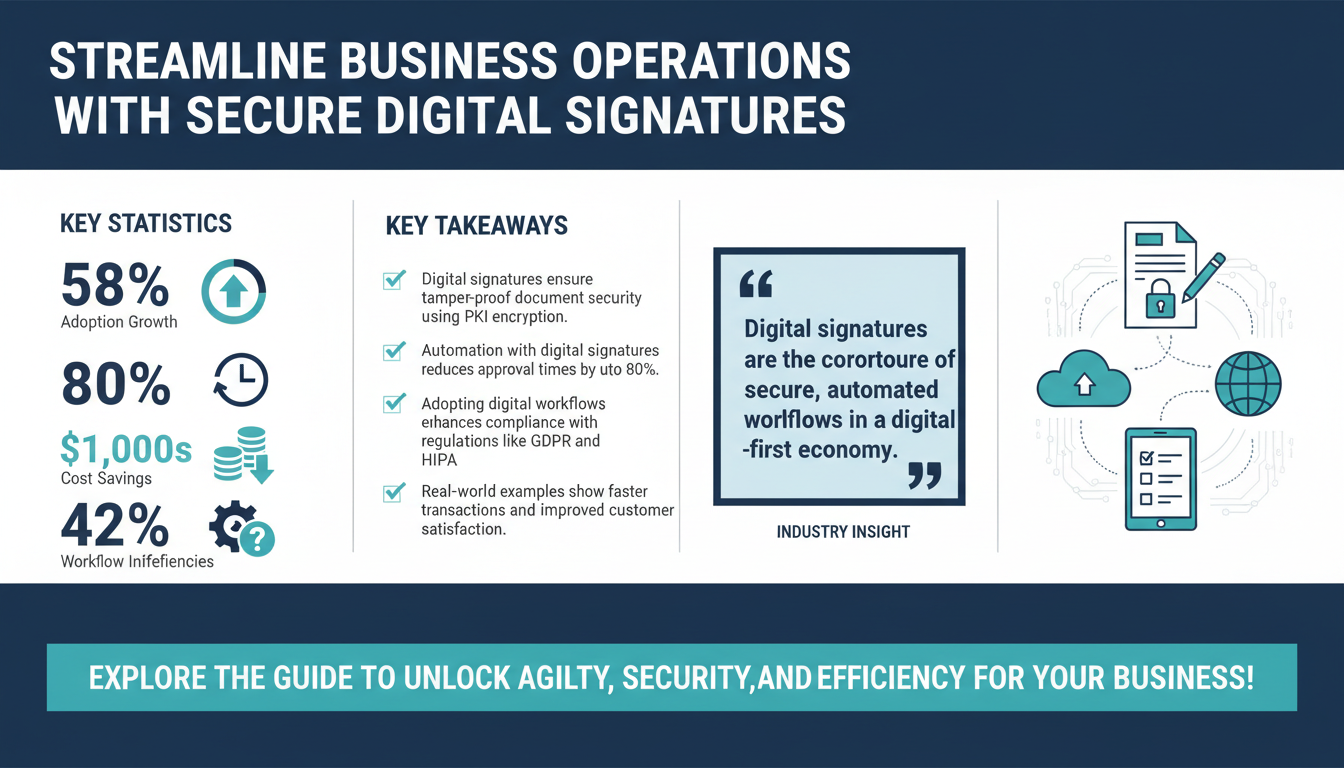
A digital signature is far more than a simple electronic scribble. It is a legally binding, encrypted identifier that authenticates the signer and guarantees the integrity of the signed document. As of 2026, digital signature adoption has grown significantly across industries, with Gartner reporting a 58% increase in use among SMBs and enterprises since 2024 (source).

Unlike traditional pen-and-paper signatures, digital signatures utilize Public Key Infrastructure (PKI) technology to create a unique fingerprint for each document. This ensures tamper-proof verification, making them invaluable in industries such as finance, healthcare, real estate, and legal services, where compliance with stringent regulations like GDPR, HIPAA, and eIDAS is essential.
Consider the example of a real estate firm. By adopting digital signatures, the firm can process lease agreements in hours instead of weeks, ensuring quicker transactions and happier clients. Similarly, a healthcare provider can use digital signatures to secure patient consent forms remotely, minimizing administrative overhead and maintaining compliance with HIPAA regulations. These use cases underline the transformative potential of digital signatures in reducing operational inefficiencies and enhancing customer satisfaction.
Key Benefits of Digital Signatures
- Security: Digital signatures use advanced encryption methods, ensuring documents are tamper-proof and secure.
- Efficiency: Automating document approval workflows can reduce turnaround times by up to 80%, according to a Forrester study.
- Global Compliance: Digital signatures meet regulatory requirements across multiple jurisdictions, including Europe’s eIDAS and the United States’ ESIGN Act.
- Cost Savings: Businesses can save thousands annually by cutting costs associated with paper, printing, and courier services.
These benefits make digital signatures an indispensable tool for businesses looking to streamline operations, enhance security, and stay competitive in a digital-first economy.
Steps to Build a Secure and Automated Workflow
Implementing a secure and automated workflow using digital signatures requires a strategic approach. Below is a step-by-step guide to help you get started:

Step 1: Assess Your Current Workflow
Begin by evaluating your existing processes to identify inefficiencies and bottlenecks. According to a Deloitte survey, 42% of businesses cite manual workflows as the primary cause of operational inefficiencies (Deloitte Insights).
For example, if your HR department spends weeks onboarding new employees due to manual paperwork, this is a prime candidate for automation. Tools like Lucidchart or Microsoft Visio can help map out workflows and pinpoint areas for improvement. Pay close attention to repetitive tasks, error-prone processes, and delays in approvals, as these are the areas where digital signatures can have the most significant impact.
Step 2: Choose the Right Digital Signature Solution
Not all digital signature platforms are created equal, so it’s essential to choose one that aligns with your business needs. Look for solutions that offer:
- End-to-end encryption to safeguard sensitive documents.
- Integration capabilities with existing tools such as CRM, ERP, or project management software.
- Global compliance certifications, including eIDAS, UETA, and ESIGN.
Popular platforms like DocuSign, Adobe Sign, and Zignature provide robust features tailored to businesses of all sizes. Ensure the platform you select offers scalability, user-friendly interfaces, and comprehensive audit trail capabilities to track document activity.
Step 3: Automate Document Workflows
Once you’ve selected a digital signature solution, it’s time to automate document workflows. Workflow automation tools like Zapier, Power Automate, or Nintex can help you set up triggers and actions that streamline processes. For instance:
- Trigger: A client approves a sales proposal in your CRM.
- Action: The proposal is automatically sent for digital signature.
This level of automation reduces manual follow-ups and ensures a smoother, error-free workflow. Additionally, automation can extend to notifications, reminders, and storage, ensuring that signed documents are organized and accessible.
Step 4: Train Your Team
Even the most advanced tools require proper training for successful adoption. Organize workshops or leverage online training resources to educate your team on how to use digital signature platforms effectively. According to McKinsey, 70% of digital transformation initiatives fail due to lack of employee adoption (McKinsey Insights).
Additionally, appoint champions within each department who can act as go-to resources for troubleshooting and best practices. This ensures smoother adaptation and maximizes the tool’s impact on your business.
Step 5: Monitor and Optimize
Finally, track key metrics such as turnaround time, error rates, and employee adoption to measure the success of your workflow automation. Use analytics dashboards provided by your digital signature platform to identify bottlenecks and areas for further optimization. Regularly solicit feedback from stakeholders to ensure the workflow is meeting their needs and expectations.
Ensuring Security in Digital Signature Workflows
Security is a critical consideration when implementing digital signatures. A single cybersecurity breach can compromise sensitive information, resulting in financial losses and reputational damage. To ensure robust security in your workflows, follow these best practices:

1. Use Multi-Factor Authentication (MFA)
MFA requires users to verify their identity through multiple methods, such as a password and a one-time code sent via email or SMS. This adds an extra layer of protection against unauthorized access.
2. Encrypt All Data
Ensure that all documents are encrypted during transmission and storage. Look for platforms that use AES-256 encryption, the industry standard for protecting sensitive information.
3. Maintain Detailed Audit Trails
Audit trails provide a record of all actions taken on a document, including timestamps, IP addresses, and user activity. This transparency is essential for regulatory compliance and dispute resolution.
4. Conduct Regular Security Audits
Regular security audits help identify vulnerabilities and ensure compliance with changing regulations. Many digital signature providers, such as Zignature, offer built-in tools to simplify this process.
Case Studies: Success Stories from Industry Leaders
To demonstrate the transformative impact of digital signatures, here are two real-world examples:

Case Study 1: Real Estate Firm
A mid-sized real estate firm implemented digital signatures to streamline contract signing. This reduced turnaround times by 75%, saved $12,000 annually on printing and courier costs, and increased client satisfaction by 40%. By automating lease agreements and other critical documents, the firm also enhanced its reputation for efficiency and professionalism.
Case Study 2: Healthcare Provider
A healthcare provider adopted digital signatures to secure patient consent forms remotely. This not only improved operational efficiency but also ensured compliance with HIPAA regulations, significantly reducing legal risks. Additionally, the provider reported a 30% reduction in administrative workload, allowing staff to focus on patient care.
FAQs About Digital Signatures
1. Are digital signatures legally binding?
Yes, digital signatures are legally binding in most countries, provided they comply with regulations such as eIDAS in the EU and UETA in the U.S. These regulations outline the requirements for validity and enforceability.
2. How secure are digital signatures?
Digital signatures use advanced encryption and authentication methods, making them highly secure. They offer greater protection against tampering and fraud compared to traditional handwritten signatures.
3. Can digital signatures integrate with other tools?
Yes, most digital signature platforms offer integrations with popular business tools, including Salesforce, Microsoft 365, Google Workspace, and industry-specific software.
4. What industries benefit most from digital signatures?
Industries such as legal, healthcare, real estate, finance, and technology benefit significantly due to their reliance on secure, efficient document workflows.
Conclusion
The adoption of digital signatures is no longer a luxury; it’s a necessity for businesses aiming to stay competitive in 2026 and beyond. By implementing the strategies outlined in this guide, organizations can unlock unparalleled efficiency, security, and compliance. Whether your goal is to streamline operations, reduce costs, or enhance customer trust, digital signatures provide the tools needed to achieve these objectives.
Ready to transform your workflows? Explore Zignature’s platform features or contact our team to get started today.
To further enhance your digital workflows, explore our sister platforms: Apparatuz for workflow automation, Applicantz for recruitment management, Schedly for scheduling and appointments, Supportly for customer support, and Zatisfied for feedback management. Together, these tools create a comprehensive ecosystem that complements your digital signature strategy.