
In today's fast-paced business landscape, the pressure to optimize efficiency and reduce operational overhead has never been greater. Manual approval processes—long plagued by inefficiencies, errors, and delays—are no longer viable for organizations striving to remain competitive. Whether you're managing employee onboarding, vendor contracts, or compliance documentation, these recurring workflows can become significant bottlenecks, resulting in lost productivity and increased costs. Digital signatures offer a transformative solution, enabling businesses to automate these processes and achieve operational excellence.
This guide is designed to equip small-to-medium businesses (SMBs) and enterprises with a comprehensive understanding of how to implement digital signature automation effectively. By leveraging actionable frameworks, industry insights, and practical strategies, you’ll be able to streamline approvals, reduce costs, and ensure compliance. From understanding the core components of digital workflows to integrating solutions into your tech stack, this guide covers all the critical steps needed to navigate the future of automation in 2026 and beyond.
Why Automating Recurring Approvals is Crucial for Modern Businesses
Recurring approvals are integral to virtually every aspect of business operations. Processes like expense reports, purchase orders, legal contracts, and compliance filings often involve multiple stakeholders, tight deadlines, and sensitive information. Yet, these essential workflows are frequently bogged down by manual processes that are prone to delays and errors.
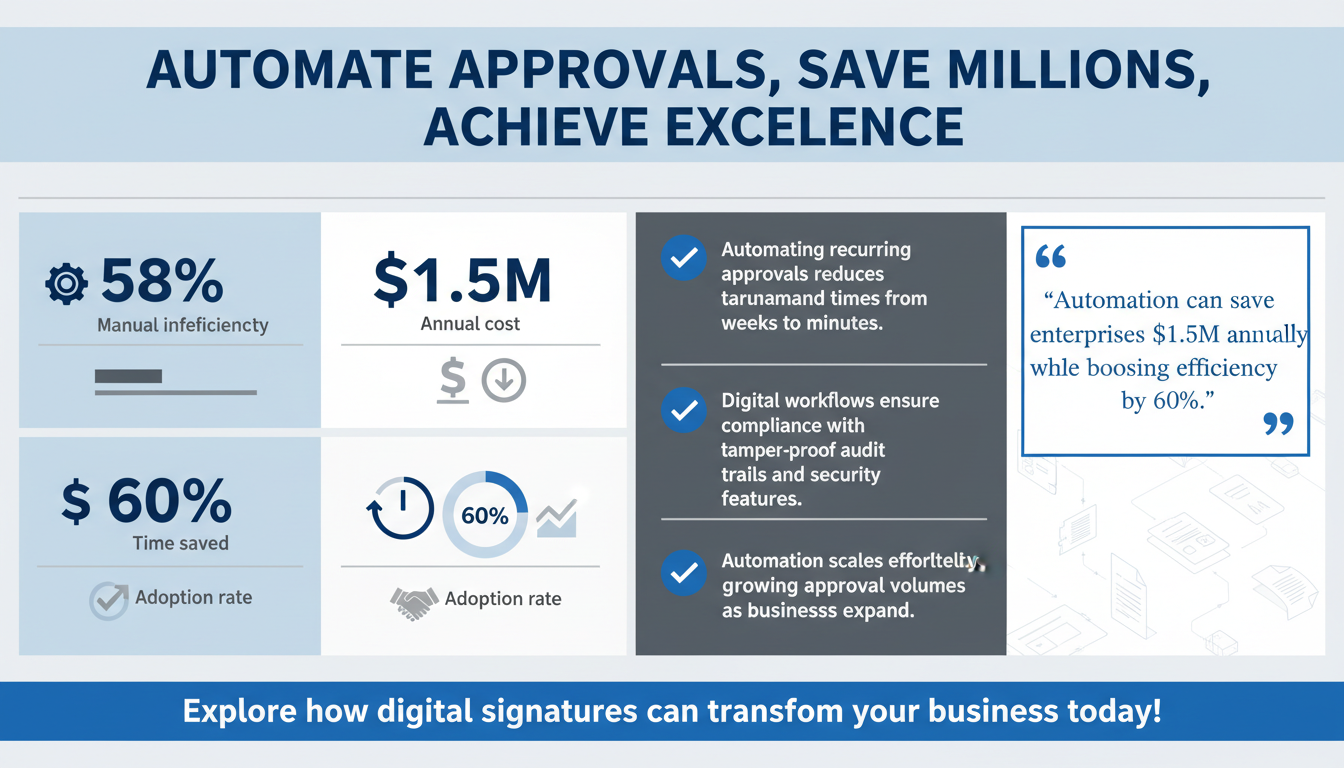
According to Forrester’s 2025 research on workflow automation, 58% of businesses identify manual approvals as a major source of inefficiency. These inefficiencies cost enterprises an estimated $1.5 million annually in lost productivity. Furthermore, a McKinsey report reveals that automation has the potential to reduce process times by as much as 60%, providing a compelling case for organizations to prioritize digital signature adoption.
Key Benefits of Automating Recurring Approvals
Automation offers a wealth of advantages, including:
- Reduced Turnaround Times: Traditional paper-based processes can take days or even weeks to complete. Digital workflows, in contrast, enable approvals to be processed in minutes.
- Improved Compliance: Automated systems create tamper-proof audit trails and incorporate robust security measures, ensuring regulatory adherence across industries.
- Lower Operational Costs: By eliminating paper-based workflows, businesses save on printing, mailing, storage, and administrative overhead.
- Enhanced Scalability: Automated processes can easily handle growing volumes of approvals as your organization scales, ensuring consistent efficiency.
Additional Benefits: Collaboration and Transparency
Beyond the obvious advantages like cost and time savings, automation promotes better collaboration among stakeholders. With digital workflows, team members can access real-time updates on the status of a document, eliminating confusion and ensuring everyone is on the same page. Transparency is another key benefit, as automated systems provide a clear record of who approved what, when, and why—critical for industries like finance and healthcare that demand accountability.
Pro Tip: Implementing automation in recurring approvals doesn’t have to be an all-or-nothing process. Start with a single workflow, such as expense report approvals, and expand as you recognize the benefits and fine-tune your systems.
The adoption of digital signatures is rapidly gaining momentum. Gartner predicts that by 2026, 85% of organizations will have adopted e-signature solutions. This widespread adoption is being driven by the demand for greater efficiency, scalability, and security in business operations.
Real-World Example: A global logistics company reduced its invoice approval time from seven days to less than 24 hours by automating its workflows with a digital signature platform. This resulted in annual savings of over $500,000 in administrative costs alone.
Understanding Digital Signature Workflows: The Foundation of Automation
Digital signature workflows are much more than simply signing documents electronically. They represent a structured, end-to-end process that integrates document preparation, approval routing, authentication, and secure storage. By automating these workflows, businesses can eliminate redundancies and create a seamless, error-free approval process.
Key Components of Digital Signature Workflows
- Authentication: Verifies the identity of each signer through multi-factor authentication (MFA), ensuring document integrity.
- Timestamping: Embeds a legally binding record of the exact time and date a document was signed.
- Encryption: Protects sensitive data using advanced encryption protocols, ensuring information cannot be intercepted or altered.
- Audit Trails: Maintains a detailed log of all document activity, including edits, approvals, and signatures. This is critical for meeting compliance standards.
How Digital Workflows Address Common Pain Points
Manual workflows often lack consistency, accountability, and security, which can lead to compliance violations and operational inefficiencies. Digital signature workflows address these issues by automating approvals and embedding safeguards against unauthorized access or tampering. For example, industries with stringent regulatory requirements—like healthcare and finance—benefit immensely from the ability to generate tamper-proof audit trails that meet legal standards.
For instance, a healthcare organization using digital signature workflows to manage patient consent forms can ensure compliance with HIPAA regulations while reducing approval turnaround times by 50%. Similarly, legal firms benefit from enhanced document security and traceability, providing peace of mind for both clients and regulatory bodies.

The Zignature Automation Framework: A Step-by-Step Approach
Zignature’s proprietary “SMART Workflow Framework” provides a clear, actionable roadmap for automating recurring approvals. This five-stage framework is designed to simplify implementation, minimize disruption, and maximize ROI.
Stage 1: Strategize
Begin by identifying the recurring approval processes within your organization. Focus on workflows that are prone to delays, have high compliance risks, or involve large volumes of documents. For example, a retail company might prioritize automating vendor contracts, while an HR department might focus on employee onboarding forms.
Stage 2: Map
Document your current workflow to identify inefficiencies and pain points. Create a process map that outlines each step, highlighting areas where automation can eliminate redundancies or bottlenecks. For example, if multiple stakeholders are involved in approving purchase orders, streamline the process by setting up automated routing.
Stage 3: Automate
Choose a digital signature platform that aligns with your business needs. Platforms like Zignature offer features such as automated reminders, real-time notifications, and customizable approval hierarchies. By integrating these tools into your existing systems, you can create a seamless workflow that operates with minimal manual intervention.
Stage 4: Review
Monitor key performance metrics after implementation to evaluate the effectiveness of your automated workflows. Metrics to track include approval turnaround times, error rates, and stakeholder compliance. Use this data to fine-tune your processes and address any unforeseen challenges.
Stage 5: Transform
Scale your automation efforts across departments to maximize ROI. For example, while the finance team may use automated workflows for invoice approvals, the HR department can implement similar systems for managing employment contracts.
Checklist for Implementing SMART Framework
- Identify high-priority workflows for automation.
- Create detailed process maps of current workflows.
- Select a scalable digital signature platform.
- Train stakeholders and conduct pilot projects.
- Monitor performance metrics and optimize processes.

Common Mistakes and How to Avoid Them
While automation offers significant benefits, implementation missteps can undermine its effectiveness. Here are some common mistakes and strategies to avoid them:
Mistake 1: Failing to Standardize Workflows
Without standardized processes, automation efforts lack consistency and scalability. Define clear protocols for document routing, approval hierarchies, and security measures to ensure uniformity.
Mistake 2: Overcomplicating Automation
Automation should simplify processes, not make them more complex. Focus on intuitive tools that integrate seamlessly with your existing systems. For example, Zignature’s API allows for direct integration with CRMs like Salesforce and cloud storage platforms like Google Drive.
Mistake 3: Neglecting Stakeholder Training
Successful automation requires buy-in from all stakeholders. Ensure that employees understand how to use the tools effectively by providing comprehensive training and resources. Starting with a pilot project can help build confidence and address any concerns before scaling the solution.

Use Cases: Industries Leading Digital Signature Automation
Digital signature automation is being embraced across industries, each leveraging the technology to address unique challenges:
- Legal: Automating client agreements and compliance documentation to reduce processing times and enhance security.
- Finance: Streamlining processes like loan approvals and vendor payments to improve efficiency and accuracy.
- Healthcare: Managing patient consent forms and insurance claims, ensuring compliance with strict regulatory standards.
- Real Estate: Automating lease agreements and property sales to expedite transactions and enhance client satisfaction.
How Different Industries Benefit
For instance, the real estate industry has seen significant improvements by adopting digital signature automation. A leading real estate firm implemented automated workflows that shortened the time required for lease approvals by 82%, resulting in better client satisfaction and faster turnover rates. Similarly, in healthcare, automated consent forms have reduced administrative burdens while ensuring HIPAA compliance.
Case Study: A real estate firm implemented digital signature workflows to automate lease approvals. This reduced processing times by 82% and improved client satisfaction rates by 40%, demonstrating the tangible benefits of automation.
Integrating Digital Signature Solutions into Your Tech Stack
Seamless integration is critical for maximizing the benefits of digital signature automation. Leading platforms like Zignature offer APIs that connect with CRMs, ERPs, and cloud storage solutions, enabling end-to-end automation.
Key Integrations
- CRM: Automate client contract approvals directly within platforms like Salesforce or HubSpot, ensuring alignment with customer data.
- Cloud Storage: Sync signed documents to platforms like Google Drive or Dropbox for easy access and organization.
Integration Checklist
- Evaluate compatibility with existing tools like CRMs or ERPs.
- Ensure API functionality supports seamless data syncing.
- Test integrations in a controlled environment before deployment.

FAQs: Addressing Common Questions
Q: Are digital signatures legally binding?
Yes, digital signatures are legally binding under laws like the ESIGN Act in the U.S. and eIDAS in the EU.
Q: How secure are digital signatures?
Digital signatures use encryption and tamper-proof audit trails to ensure document security and integrity.
Q: Can recurring workflows be customized?
Yes, most platforms allow you to tailor workflows to meet your specific business requirements.
Conclusion: The Future of Automated Approvals
The automation of recurring approvals with digital signatures is not just a trend—it’s a strategic imperative for organizations aiming to thrive in an increasingly competitive market. By adopting these solutions, businesses can unlock unprecedented levels of efficiency, reduce costs, and ensure compliance. Whether you’re an SMB or a global enterprise, digital signature automation offers the tools needed to scale your operations and achieve sustainable growth in 2026 and beyond.
As you embark on this journey, remember to leverage complementary platforms like Apparatuz for workflow automation and Schedly for scheduling tasks. Together, these tools create a comprehensive ecosystem for operational excellence.