
In today’s fast-paced business environment, organizations are faced with mounting pressure to optimize workflows, reduce waste, and enhance customer experiences. Gone are the days when paper-heavy processes were the norm; businesses are now compelled to embrace digitization to remain competitive. Central to this transformation is the adoption of electronic signature technology, a modern solution that replaces outdated, paper-based methods while delivering measurable financial, operational, and environmental benefits. Electronic signatures are no longer a ‘nice-to-have’ feature—they are a cornerstone of digital transformation.
This article delves into the compelling case for going paperless, focusing on how electronic signatures drive return on investment (ROI), improve efficiency, and align with sustainability goals. We’ll also provide actionable strategies to integrate e-signatures into your workflows, along with real-world examples and expert insights.

1. Understanding the True Cost of Paper-Based Workflows
At first glance, paper-based processes may appear inexpensive or even mundane, but their hidden costs can impose a significant burden on an organization's bottom line. From the direct costs of printing, storing, and retrieving documents to the indirect costs of lost productivity, the inefficiencies of paper-based workflows add up rapidly.
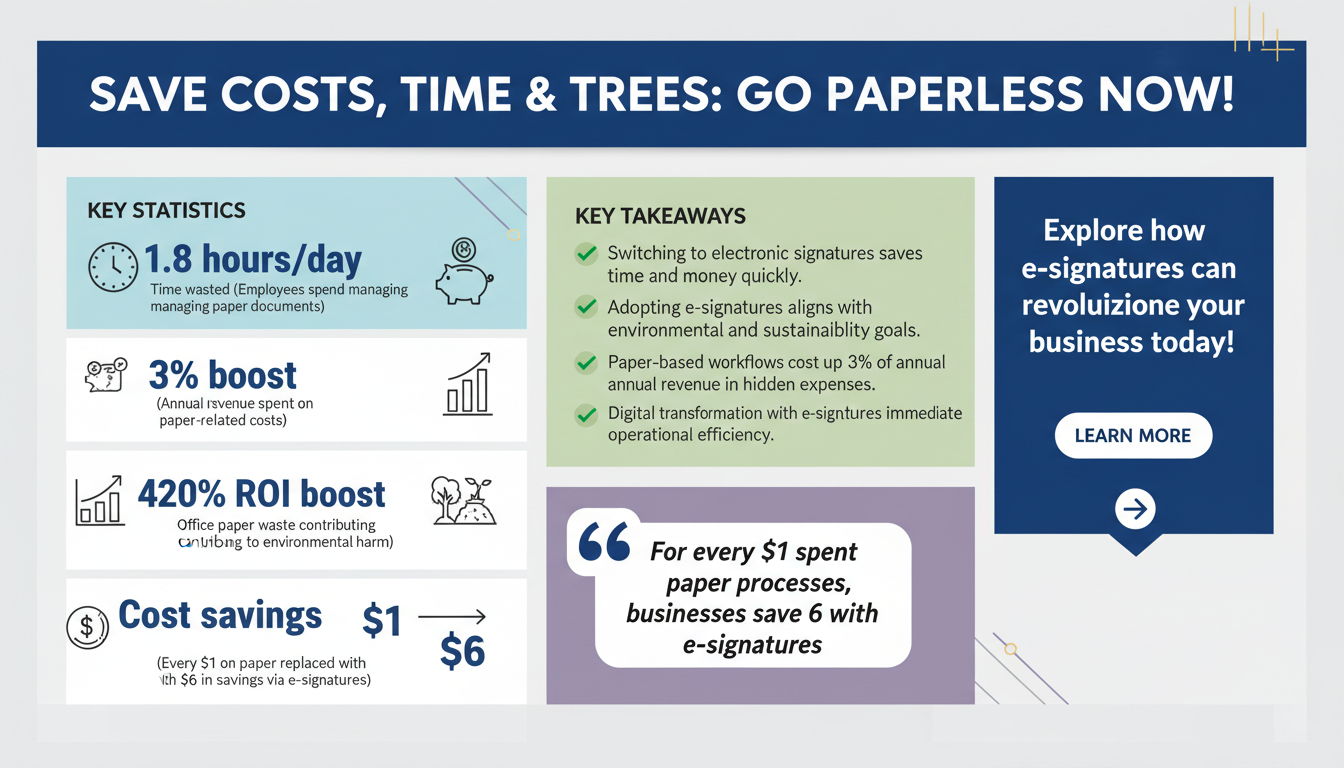
According to a study by McKinsey, employees spend an average of 1.8 hours per day searching for and managing physical documents. Over the course of a week, that’s nearly nine hours per employee lost to administrative inefficiencies. For a company with 100 employees, this translates to 45,000 hours annually—time that could have been spent on value-added activities.
On top of productivity losses, the tangible costs are staggering. Research from Gartner indicates that businesses spend up to 3% of their annual revenue on paper-related expenses. This includes the costs of paper, ink, printers, storage, and shredding services. For a company generating $10 million in revenue, this equates to $300,000 annually—a sizable expense that could be redirected toward growth initiatives.
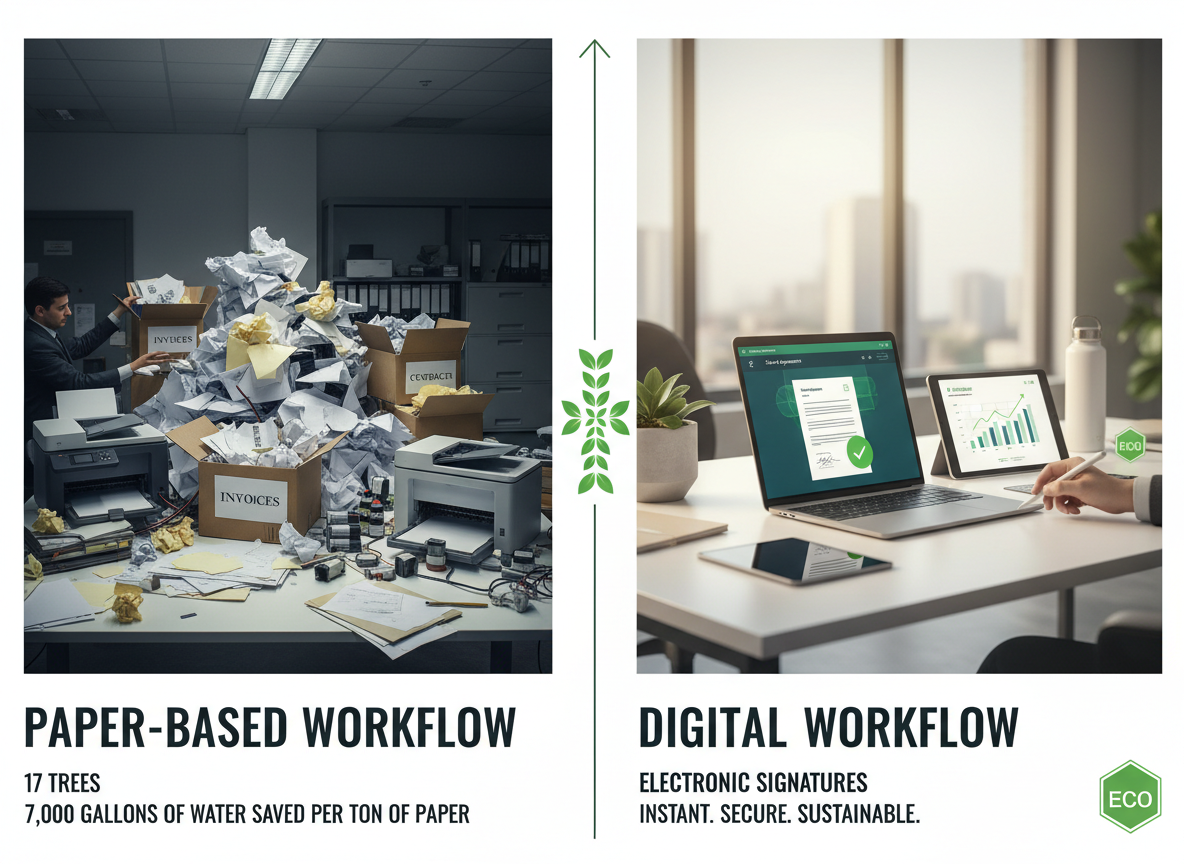
The environmental costs are equally concerning. Data from the U.S. Environmental Protection Agency (EPA) shows that over 45% of paper used in offices ends up in landfills, contributing to deforestation, water usage, and greenhouse gas emissions. Producing a single ton of paper requires 17 trees and 7,000 gallons of water, underscoring the environmental toll of paper reliance.
Electronic signatures eliminate these inefficiencies by digitizing the entire document lifecycle. From creating and sharing documents to obtaining signatures and storing records, businesses can avoid the time, costs, and environmental impact associated with paper-based workflows.
Key Insight:
- For every $1 spent on managing paper-based processes, businesses can save $6 by adopting electronic signatures, according to industry studies.
- Reducing paper use aligns with sustainability goals, an increasingly important factor for stakeholders, customers, and regulatory compliance.
2. The ROI of Transitioning to Electronic Signatures
One of the most compelling aspects of electronic signatures is their ability to deliver a rapid and significant return on investment (ROI). Businesses that adopt e-signature technology experience financial and operational gains almost immediately, making it a low-risk, high-reward investment.
A Forrester Total Economic Impact study found that organizations implementing electronic signatures achieve an average ROI of 420% within three years. Even more impressive, many businesses see payback periods as short as three months. Let’s break down the key drivers of this impressive ROI:
How E-Signatures Drive ROI:
- Time Savings: Automating the signature process reduces document turnaround times by up to 80%. Contracts that once took weeks to finalize can now be completed in hours, accelerating revenue generation and improving customer satisfaction.
- Cost Reductions: By eliminating expenses related to paper, ink, postage, and storage, businesses save an average of $20 per document. For organizations processing thousands of documents annually, the savings add up quickly.
- Improved Accuracy: Manual processes are prone to errors, whether from misplaced documents or incorrect data entry. E-signatures minimize these risks by providing secure, automated workflows with built-in error checks. This reduces the need for rework and mitigates legal risks.
Consider the case of a mid-sized real estate firm that implemented e-signature technology to streamline client contracts. Within six months, the firm achieved the following results:
- A 70% reduction in administrative workload, allowing employees to focus on higher-value tasks.
- A 50% increase in deal closure rates, thanks to faster turnaround times.
- Over $50,000 in annual savings on paper-related expenses.
These benefits are not confined to specific industries. From healthcare providers streamlining patient consent forms to financial institutions accelerating loan approvals, the ROI potential of electronic signatures spans virtually every sector.

Key Takeaway:
- Electronic signatures deliver both immediate cost savings and long-term strategic advantages, making them an essential tool for businesses aiming to enhance efficiency, profitability, and customer satisfaction.
3. Boosting Efficiency Across Departments
One of the greatest strengths of electronic signatures is their versatility. They are not limited to a single department or use case; rather, they streamline workflows across the entire organization. Here’s how various teams can benefit:
Sales Teams:
For sales professionals, time is money. Traditional methods of obtaining signatures—printing contracts, mailing them to clients, and waiting for their return—can stall the sales process. Electronic signatures eliminate these delays, enabling sales reps to close deals faster. A study by DocuSign found that sales teams using e-signatures experienced a 43% improvement in win rates, as contracts moved from proposal to close in record time.
Human Resources (HR):
HR teams are often burdened with extensive paperwork, from offer letters and nondisclosure agreements (NDAs) to compliance forms and employee handbooks. By digitizing these documents, HR departments can onboard new hires in a fraction of the time, reducing the average onboarding period from weeks to days. This not only improves the employee experience but also frees up HR staff for strategic initiatives like talent development.
Legal Departments:
Legal teams handle some of the most critical documents in an organization, including contracts, compliance agreements, and intellectual property filings. Electronic signatures enhance document security through encryption and audit trails, ensuring compliance with laws such as the eIDAS Regulation in the EU and the ESIGN Act in the U.S. The ability to track document status in real time also reduces the risk of missed deadlines and legal disputes.

Expert Insight:
- Departments that adopt e-signature technology often experience a ripple effect of increased efficiency across the organization.
- Integration with existing tools, such as customer relationship management (CRM) and human resource information systems (HRIS), further amplifies these benefits.
4. Overcoming Common Barriers to Adoption
Despite the undeniable benefits, some organizations are hesitant to adopt electronic signatures due to misconceptions or perceived challenges. Addressing these barriers is critical for successful implementation. Let’s examine the most common concerns:
1. Concerns Over Legal Validity:
Many businesses worry that electronic signatures might not hold up in court. However, such concerns are largely unfounded. In most countries, e-signatures are legally binding as long as they comply with relevant regulations. The ESIGN Act in the U.S. and the eIDAS Regulation in the EU provide clear legal frameworks for the enforceability of electronic signatures.
2. Security Worries:
Another common concern is the security of digital transactions. Modern e-signature platforms address this with advanced encryption, tamper-evident seals, and multi-factor authentication. Audit trails record every step of the signing process, providing a transparent and secure record for all parties involved.
3. Resistance to Change:
Change management can be a challenge for any new technology. Employees accustomed to traditional methods may resist transitioning to digital workflows. To mitigate this, organizations should involve key stakeholders early in the process, provide hands-on training, and demonstrate quick wins to build confidence and enthusiasm among users.

Key Takeaway:
- Clear communication, robust training, and a focus on measurable benefits are critical to overcoming resistance and ensuring successful adoption of electronic signatures.
5. Actionable Steps to Implement a Paperless Workflow
Implementing a paperless workflow requires careful planning and execution, but the rewards are well worth the effort. Here’s a step-by-step guide to help your organization make a smooth transition:
1. Audit Existing Processes:
Begin by identifying paper-heavy workflows within your organization. Prioritize those with the highest potential for cost savings and efficiency gains, such as contract approvals, HR onboarding, or invoice processing.
2. Choose the Right Solution:
Select an e-signature platform that aligns with your business needs. Key features to look for include regulatory compliance, integration capabilities, and scalability. For guidance, refer to our platform features.
3. Train Your Team:
Provide comprehensive training to employees. This can include live demonstrations, video tutorials, and user manuals. Emphasize the ease of use and the benefits they will experience, such as reduced administrative tasks and faster workflows.
4. Monitor and Optimize:
Track key performance indicators (KPIs) such as document turnaround time, user adoption rates, and cost savings. Use this data to refine your workflows and maximize ROI.
Quick Win:
- Start small by digitizing one high-impact workflow, such as sales contracts or employee onboarding. Once successful, scale the solution across other departments.
6. The Environmental Impact of Going Paperless
Beyond financial and operational benefits, going paperless has a profound impact on the environment. According to the EPA, the paper production process consumes vast natural resources, including water, energy, and trees. By reducing paper usage, businesses can significantly lower their carbon footprint and contribute to global sustainability efforts.
Electronic signatures eliminate the need for physical documents, reducing paper waste and associated emissions. For example, a company processing 10,000 documents annually can save approximately 170 trees, 70,000 gallons of water, and substantial energy resources by going digital. These sustainability efforts resonate with environmentally conscious customers, investors, and employees, enhancing your brand’s reputation.
Key Takeaway:
- Going paperless is not just a business decision—it’s a commitment to sustainability that aligns with corporate social responsibility goals and appeals to eco-conscious stakeholders.
Frequently Asked Questions
1. Are electronic signatures legally binding?
Yes, electronic signatures are legally binding in most countries, provided they meet regulatory standards. The ESIGN Act in the U.S. and eIDAS in the EU are key frameworks that uphold their validity.
2. How secure are electronic signatures?
Modern e-signature platforms use advanced encryption, audit trails, and authentication methods to ensure document integrity and security.
3. Can electronic signatures integrate with existing tools?
Yes, most platforms offer integrations with CRM, ERP, and HRIS systems to streamline workflows and enhance productivity.
4. What industries benefit the most from e-signatures?
Industries such as legal, real estate, finance, healthcare, and technology see significant benefits from adopting electronic signatures.
5. How quickly can my business see ROI from e-signatures?
Organizations typically achieve ROI within three to six months of implementation, depending on the scale and complexity of adoption.
To further enhance your digital workflows, explore our sister platforms: Apparatuz for workflow automation, Applicantz for recruitment management, Schedly for scheduling and appointments, Supportly for customer support, and Zatisfied for feedback management. Together, these tools create a comprehensive ecosystem that complements your digital signature strategy.