
Contract negotiations are critical to the success of any business, forming the foundation for partnerships, vendor agreements, and customer relationships. However, the process is often plagued by inefficiencies, delays, and risks that hinder productivity and revenue potential. For legal and procurement teams, these delays can mean missed opportunities, higher operational costs, and strained relationships with stakeholders.
In an age where businesses are increasingly shifting toward digital transformation, manual contract management methods—such as printing, signing, scanning, and emailing—are no longer viable. Enter digital signature workflows: a game-changing solution that integrates automation, compliance, and security into the contract lifecycle. By adopting digital workflows, organizations can accelerate negotiations, reduce administrative burdens, and ensure seamless collaboration.
This comprehensive guide walks legal and procurement professionals through the step-by-step process of implementing digital signature workflows. With actionable advice, real-world examples, and expert insights, you’ll have the tools to revolutionize your approach to contract management.
Understanding the Current Challenges in Contract Negotiations
Before diving into solutions, it’s essential to grasp the challenges associated with traditional contract negotiation processes. Many organizations still rely on outdated, manual methods that are inherently inefficient and error-prone. These processes often involve multiple stakeholders, each with their own set of approvals, leading to delays and miscommunication.
Key challenges in traditional workflows include:
- Version control issues: When contracts go through multiple rounds of edits, keeping track of the latest version can be daunting, leading to errors and confusion.
- Compliance risks: Manual tracking of changes increases the likelihood of non-compliance with legal and regulatory requirements, exposing organizations to potential lawsuits and fines.
- Lack of visibility: Without a centralized system, it’s challenging to monitor the status of contracts, which can result in missed deadlines and limited accountability.
- Time-consuming processes: Tasks like printing, scanning, and emailing add unnecessary delays to the approval process, impacting overall efficiency.
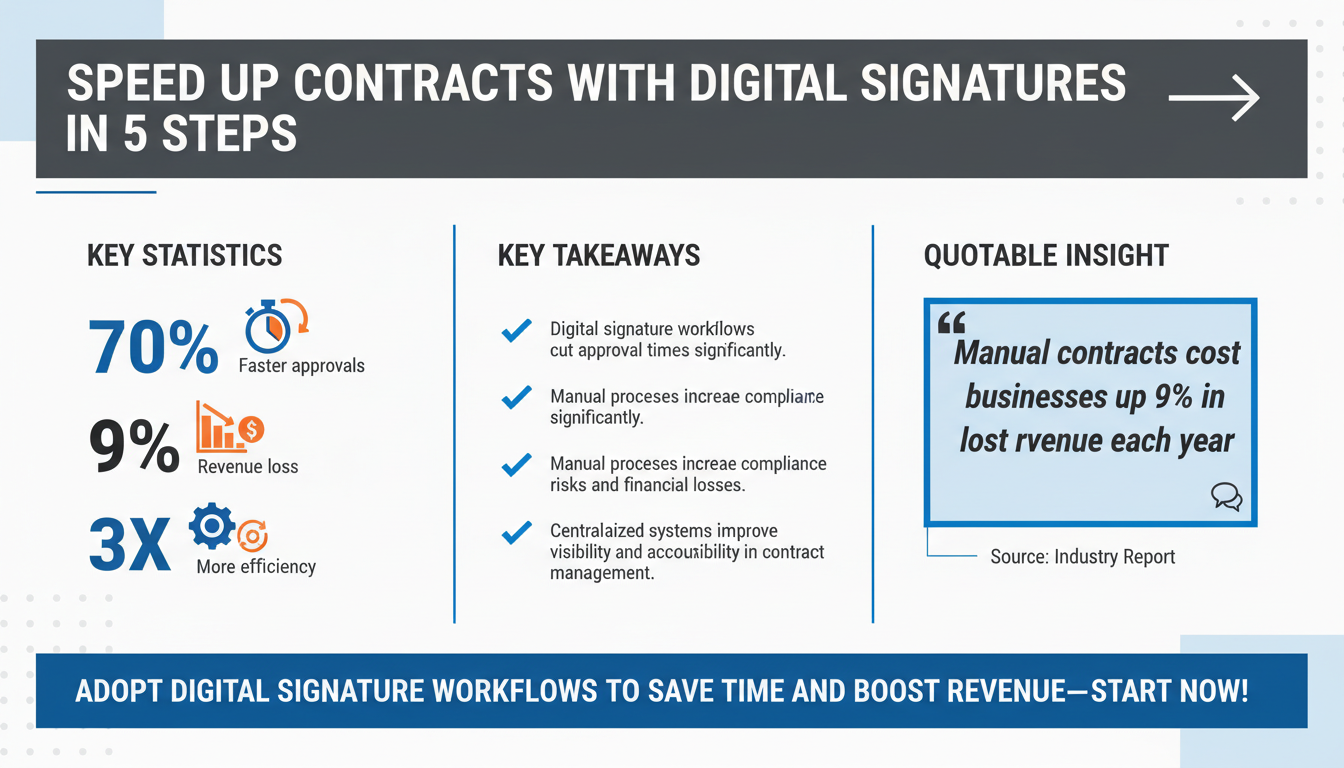
The impact of these inefficiencies is staggering. According to a McKinsey report, poor contract management practices can lead to a 9% loss in annual revenue for large organizations. For SMBs, the stakes are equally high, as delayed contracts can derail projects, disrupt cash flow, and strain relationships with vendors and customers.
The Hidden Costs of Delays
Beyond the obvious financial losses, delays in contract negotiations often have cascading effects throughout an organization. For instance, delayed vendor contracts might lead to bottlenecks in supply chains, increasing overall project timelines. Similarly, delays in customer agreements can result in slower revenue recognition, negatively impacting cash flow and financial forecasting.
A real-world example illustrates this: A multinational manufacturing company faced repeated delays in securing contracts with overseas suppliers due to manual approval processes. These delays led to missed production deadlines, ultimately costing the company millions in lost sales opportunities. By implementing a digital signature workflow, they reduced their average contract approval time by 70%, ensuring smoother operations and stronger supplier relationships.
Expert Insight: Why Manual Processes Are No Longer Feasible
"In today’s fast-paced business environment, speed and accuracy are crucial. Manual contract processes not only slow down your operations but also increase the risk of errors and compliance issues," says Sarah Mendez, a contract management consultant with over 15 years of experience. "Digital workflows provide the structure and automation necessary to handle complex negotiations efficiently and securely."
Furthermore, a recent study by Forrester Research found that organizations spend an average of 18% of their sales cycle time waiting for contract approvals. This not only slows down the sales process but also increases the risk of losing deals to competitors who are better equipped to move quickly.
Clearly, the time has come for a smarter, more efficient approach to contract negotiations. Digital signature workflows offer an effective remedy to these challenges.
What Are Digital Signature Workflows?
A digital signature workflow refers to an automated, end-to-end process designed to manage the creation, review, signing, and storage of contracts in a secure and efficient manner. Unlike traditional e-signatures, which are often standalone features, digital workflows are integrated systems that streamline every step of the contract lifecycle.
Core features of digital signature workflows include:
- Automated notifications: Stakeholders receive real-time alerts when it’s their turn to review or sign a document, reducing delays caused by manual follow-ups.
- Role-based access: Permissions can be customized to ensure that only authorized individuals can view, edit, or approve specific sections of a contract.
- Audit trails: A comprehensive record of all actions taken on a document, ensuring transparency, accountability, and compliance.
- Template libraries: Pre-approved templates simplify document creation, ensuring consistency and reducing errors.
Comparison: Digital Workflows vs. Traditional Methods
| Feature | Traditional Methods | Digital Signature Workflows |
|---|---|---|
| Speed | Slow, often requiring days or weeks for approvals | Fast, with automated reminders and real-time updates |
| Compliance | Manual tracking, prone to errors | Built-in audit trails and compliance features |
| Cost | Higher due to printing, scanning, and administrative labor | Lower with reduced manual intervention |
| Scalability | Challenging to scale for larger volumes | Easily scalable for growing organizations |
According to Gartner, organizations that adopt digital signature workflows experience a 30% reduction in contract turnaround times and a 20% increase in compliance rates. These improvements translate to faster deal closures, better customer experiences, and enhanced operational efficiency.
Pro Tip: Leverage Integration for Maximum Impact
To maximize the benefits of digital signature workflows, ensure that your chosen platform integrates seamlessly with tools your team already uses. For example, connecting your digital signature solution to your CRM (like Salesforce) or document management system (like SharePoint) can save time and reduce errors by minimizing data duplication.
By leveraging these capabilities, legal and procurement teams can eliminate many of the inefficiencies and risks associated with traditional contract management methods.
Step 1: Assess Your Current Contract Workflow
The foundation of an effective digital signature workflow begins with a thorough assessment of your existing processes. This step is crucial for identifying inefficiencies, bottlenecks, and areas where digital solutions can provide the most value.
Steps to assess your current workflow:
- Map your existing process: Document each stage of your current contract lifecycle, from drafting to final approval. This will help you visualize the flow and identify pain points.
- Gather feedback from stakeholders: Engage team members across legal, procurement, and sales departments to understand their challenges and priorities.
- Identify key metrics: Track metrics such as average contract turnaround time, error rates, and compliance issues to establish a baseline for improvement.
For example, if your organization frequently faces delays due to unclear responsibilities, consider implementing automated routing rules to ensure contracts are sent to the right stakeholders at the right time. Similarly, if compliance is a recurring issue, focus on features like audit trails and version control to enhance transparency and accountability.
Tools like Process Street and other workflow visualization software can help you analyze your current processes and pinpoint inefficiencies. These insights will serve as a roadmap for designing your digital workflow.
Checklist: Key Questions for Workflow Assessment
- How long does it currently take to complete a contract from start to finish?
- Where do most delays occur in the process?
- How are changes and approvals tracked and communicated?
- Are there any compliance gaps or risks in the current process?
- What tools or platforms are currently being used, and how effective are they?
Answering these questions will give you a clear picture of your current challenges and pave the way for meaningful improvements.
Step 2: Select the Right Digital Signature Platform
Choosing the right digital signature platform is critical to the success of your workflow transformation. With a plethora of options available, it’s essential to evaluate platforms based on your organization’s specific needs and priorities.
Key criteria for selecting a platform:
- Integration capabilities: The platform should integrate seamlessly with your existing tools, such as CRM systems, ERP software, and document management platforms.
- Security and compliance features: Look for platforms that offer robust encryption, two-factor authentication, and compliance with regulations such as eIDAS, ESIGN, and GDPR.
- Ease of use: A user-friendly interface ensures quicker adoption and minimizes the need for extensive training.
- Scalability: Choose a solution that can grow with your organization, accommodating increasing volumes of contracts and users.
Popular platforms like DocuSign, Adobe Sign, and HelloSign offer a range of features tailored to different business needs. For example, DocuSign integrates with Salesforce and Microsoft 365, while Adobe Sign provides advanced customization options for branding and workflow design. Platforms like SignNow are often favored by SMBs for their affordability and ease of use.
To make an informed decision, leverage resources like Capterra and G2, which provide detailed reviews and feature comparisons of various digital signature solutions.
Expert Insight: Balancing Cost and Features
"One of the biggest mistakes organizations make is choosing a platform based solely on cost," says Michael Lee, a procurement specialist. "While affordability is important, sacrificing critical features like security and integration can cost you more in the long run. Always prioritize platforms that align with your business goals."
Through careful evaluation, organizations can select a platform that enhances efficiency, compliance, and collaboration across departments.
Step 3: Design and Automate Your Workflow
With a platform selected, the next step is designing and automating your workflow. This involves defining the sequence of tasks a contract will go through, from drafting to final approval, and leveraging automation to streamline each step.
Essential components of a digital signature workflow:
- Drafting: Use pre-approved templates to create consistent and compliant contracts quickly.
- Review and approval: Define roles and responsibilities to ensure each stakeholder knows when and how to provide input.
- Signature collection: Automate notifications and reminders to prompt timely action from signatories.
- Storage and audit: Store signed contracts in a secure, centralized repository with a complete audit trail for future reference.
For example, a procurement team might use a digital workflow to automatically route vendor contracts to the legal department for review, then to the finance team for budget approval, and finally to the vendor for signature. Automated reminders ensure that no step is overlooked, significantly reducing turnaround times.
According to a Nucleus Research study, organizations that automate their workflows see a 73% reduction in errors compared to manual processes, underscoring the value of automation in contract management.
Pro Tip: Emphasize User-Friendly Design
When designing your workflow, simplicity is key. Overcomplicated processes can deter adoption and create new bottlenecks. Focus on intuitive designs that require minimal training and ensure that stakeholders can easily understand and follow the workflow.
Step 4: Train Your Team
The adoption of any new technology requires effective training to ensure teams are equipped to use it efficiently. Without proper training, even the most advanced tools can fail to deliver their intended benefits.
Steps for successful training:
- Create a training plan: Develop a structured program that covers the basics of the digital signature platform, as well as advanced features tailored to specific roles.
- Leverage multiple formats: Use a combination of workshops, webinars, video tutorials, and written guides to cater to different learning styles.
- Designate champions: Identify tech-savvy team members to act as point-of-contact for questions and troubleshooting.
For instance, a legal team might benefit from a deep dive into compliance features, while a sales team might focus on streamlining the approval process. Customizing training to meet the needs of different departments ensures higher engagement and faster adoption.
Checklist: Training Essentials
- Have you provided all team members with access to the platform?
- Are there role-specific training sessions in place?
- Have you created quick-reference guides for common tasks?
- Is there a feedback mechanism to identify training gaps?
Expert Insight: Sustaining Adoption
"Training doesn’t end after the initial sessions," notes Emily Carter, a digital transformation consultant. "Continuous education, such as monthly tips or refresher sessions, ensures that your team stays up-to-date on features and best practices."
Step 5: Monitor and Optimize
Implementing a digital signature workflow is not a one-time effort. To ensure it continues to deliver value, organizations must regularly monitor performance and make adjustments as needed.
Metrics to track:
- Turnaround time: Measure how long it takes to complete a contract from start to finish.
- Error rates: Track the frequency of errors to identify areas for improvement.
- Compliance: Monitor adherence to legal and regulatory requirements.
- User engagement: Assess how frequently team members are using the platform and identify any barriers to adoption.
Regular reviews of these metrics, combined with feedback from users, can help you identify opportunities for further optimization. For example, if certain stakeholders are slow to approve contracts, consider adding automated reminders or adjusting deadlines to improve efficiency.
Pro Tip: Schedule Quarterly Reviews
Set up quarterly workflow reviews with key stakeholders to discuss what’s working, what’s not, and what needs to change. This proactive approach ensures continuous improvement and long-term success.
FAQ: Common Questions About Digital Signature Workflows
1. Are digital signatures legally binding?
Yes, digital signatures are legally binding in most jurisdictions, provided they comply with regulations such as the ESIGN Act in the U.S. or eIDAS in the EU.
2. How secure are digital signatures?
Digital signature platforms use advanced encryption and authentication methods to ensure the security and authenticity of signed documents. Features like audit trails provide an additional layer of transparency and accountability.
3. Can digital signature workflows handle high volumes of contracts?
Absolutely. Most digital signature platforms are designed to scale, making them suitable for organizations of all sizes. Features like bulk sending and automated routing streamline the process even for large volumes of contracts.
Conclusion: Take the Next Step
Accelerating contract negotiations with digital signature workflows is a strategic move that can transform your organization’s approach to legal and procurement processes. By assessing your current workflow, selecting the right platform, and focusing on training and optimization, you can achieve faster turnaround times, improved compliance, and enhanced collaboration across teams.
The time to act is now. Begin your journey toward streamlined contract management and unlock new levels of efficiency and success.
To further enhance your digital workflows, explore our sister platforms: Apparatuz for workflow automation, Applicantz for recruitment management, Schedly for scheduling and appointments, Supportly for customer support, and Zatisfied for feedback management. Together, these tools create a comprehensive ecosystem that complements your digital signature strategy.