
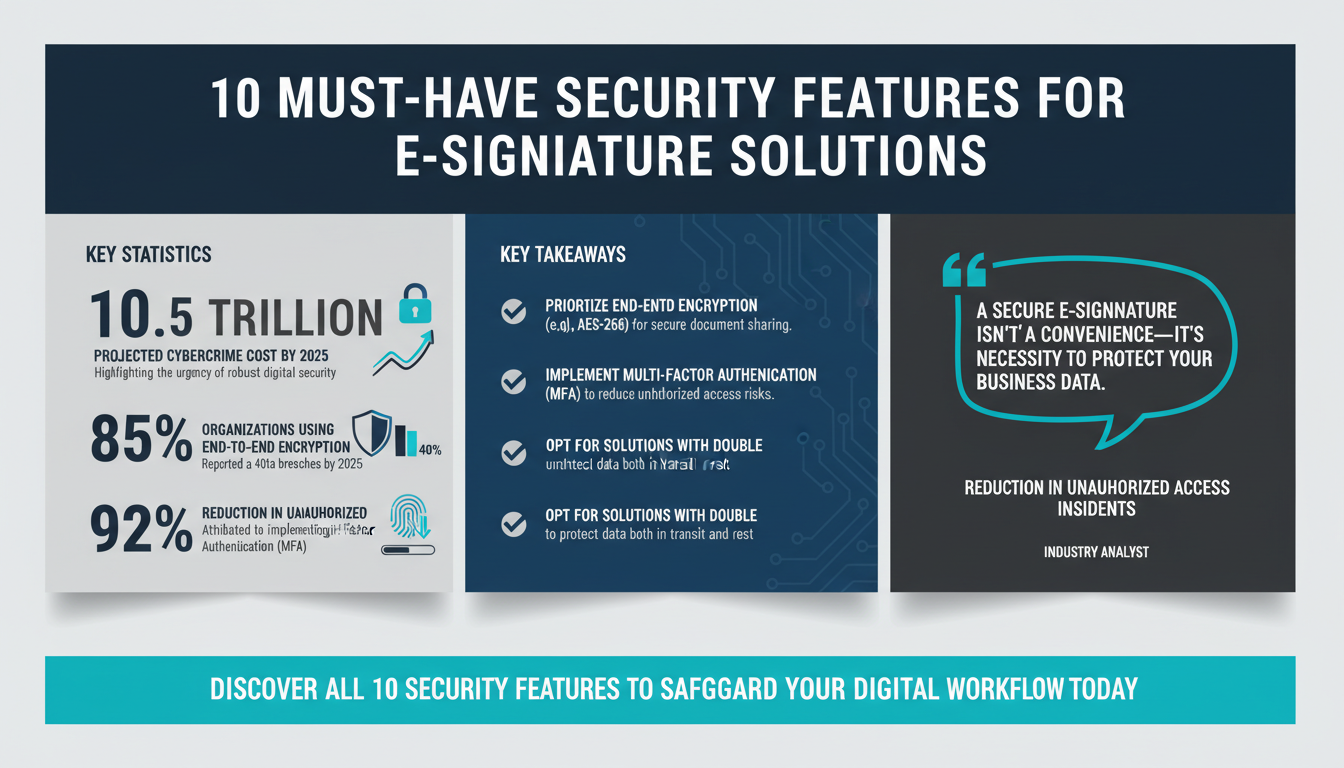
In today’s fast-paced digital world, where remote work and online transactions dominate, electronic signature solutions have become indispensable tools for businesses. By replacing traditional paper-based processes, these solutions save time, streamline workflows, and enable seamless collaboration across geographies. However, as organizations increasingly rely on digital tools to manage sensitive documents, the risks associated with cyber threats have escalated. A secure electronic signature platform is not just a convenience but a necessity to protect business data and ensure compliance with regulatory standards.
Cybercrime is projected to cost the world $10.5 trillion annually by 2025, according to Cybersecurity Ventures. This staggering figure highlights the importance of implementing robust security measures. For businesses, choosing an electronic signature solution without adequate security features can result in data breaches, legal disputes, and reputation damage. To help you make an informed decision, we’ve outlined the 10 essential security features every electronic signature solution must have.
1. End-to-End Encryption
Encryption is the cornerstone of secure digital communication. End-to-end encryption ensures that data remains encrypted throughout its journey—from the moment it is created until it reaches the intended recipient. This means that even if the data is intercepted during transmission, it cannot be deciphered without the appropriate decryption key.
For example, imagine you’re sending a signed contract to a client. With end-to-end encryption, the document is encrypted on your device and only decrypted on the client’s device. This ensures that even if the transmission is intercepted, the data remains useless to hackers.
According to Gartner’s 2025 report, 85% of organizations that adopted end-to-end encryption experienced a 40% reduction in data breaches. This underscores its importance in protecting sensitive information.
How Encryption Works in Practice
Encryption involves using algorithms to convert plaintext into ciphertext, which is unreadable without a decryption key. Advanced encryption standards, such as AES-256, are widely regarded as unbreakable. When a document is shared, the encryption ensures that even if intercepted, the document remains secure. For example, financial institutions use encryption to protect sensitive client data during transactions, ensuring regulatory compliance and safeguarding customer trust.
Pro Tip:
Look for solutions that integrate encryption with secure cloud storage. This ensures that not only is data encrypted during transmission but also while at rest on the cloud. Platforms offering "double encryption"—one layer during transit and another at rest—provide an added layer of protection.
Actionable Tips:
- Ensure your chosen solution uses AES-256 encryption or higher.
- Confirm that both data transmission and storage are encrypted.
- Opt for platforms that incorporate zero-trust architecture.
2. Multi-Factor Authentication (MFA)
Weak or stolen passwords are among the most common causes of data breaches. Multi-factor authentication (MFA) mitigates this risk by requiring users to verify their identity through multiple methods. For instance, a user might need to enter a password, confirm a text message code, and scan their fingerprint to access a document.
A study by Forrester in 2024 found that implementing MFA reduced unauthorized access incidents by 92%. This statistic alone demonstrates the effectiveness of this feature in enhancing security.
Take a real-world example: a healthcare company that processes electronic patient records implements MFA to safeguard sensitive data. By requiring employees to use biometric authentication (such as fingerprint scans) in addition to a secure password, the company ensures compliance with HIPAA regulations while significantly reducing the risk of breaches.
Types of MFA Methods
MFA can involve various methods of authentication, including:
- Something you know: Passwords, PINs, or answers to security questions.
- Something you have: Physical tokens, smart cards, or codes sent to a trusted device.
- Something you are: Biometrics such as facial recognition, fingerprint scanning, or voice recognition.
Combining these methods strengthens security. For example, a banking application may require a password (something you know) and a one-time code sent to your phone (something you have) for secure access.
Expert Insight:
"Biometric authentication is emerging as a gold standard in MFA, offering both security and convenience. However, businesses must ensure compliance with privacy regulations when storing biometric data," says cybersecurity expert Dr. Nina Patel.
Actionable Tips:
- Choose e-signature platforms that offer multiple authentication options, including biometrics.
- Integrate MFA seamlessly into your existing workflows for user convenience.
- Regularly update authentication methods to address evolving security threats.
3. Audit Trails and Document History
Maintaining a clear and accessible record of all actions performed on a document is critical for accountability, legal enforceability, and compliance. Audit trails provide a detailed log of who accessed a document, when it was signed, and what changes were made.
For example, consider a real estate transaction where multiple parties need to sign a contract. An audit trail ensures that every step of the process is documented, from the initial upload of the document to the final signature. This level of transparency not only builds trust but also serves as evidence in case of disputes.
According to Deloitte Insights, companies using audit trails saw a 30% increase in the speed of contract dispute resolutions. This feature is particularly beneficial in industries such as finance and legal, where compliance and accountability are paramount.
Components of a Comprehensive Audit Trail
An effective audit trail should include:
- User Activity: Detailed logs of who accessed the document, what actions they performed, and when.
- Time Stamps: Precise time and date of each action to establish a chronological sequence.
- IP Addresses: Tracking the location of users accessing the document can help identify suspicious activity.
These components ensure that audit trails are both transparent and comprehensive, providing a reliable record for compliance and legal purposes.
Pro Tip:
Opt for e-signature platforms that allow you to export audit trail data in multiple formats (e.g., PDF or CSV). This flexibility makes it easier to share records with stakeholders or regulatory bodies.
Actionable Tips:
- Ensure the platform provides real-time audit trails that are easy to access and export.
- Verify compliance with industry regulations like GDPR, HIPAA, or eIDAS.
- Use audit trails to monitor user behavior and detect unauthorized activities.
4. Tamper-Proof Technology
Once a document is signed, its integrity must be preserved. Tamper-proof technology ensures that any attempt to alter the document invalidates the signature. This feature is crucial for preventing fraud and maintaining the legal enforceability of agreements.
A 2025 report by IDC highlights that tamper-proof e-signature solutions reduced fraud attempts in small and medium-sized businesses (SMBs) by 28%. For instance, a financial services firm using tamper-proof technology can ensure that contracts remain secure and unaltered, even if shared across multiple stakeholders.
How Tamper-Proof Technology Works
Modern tamper-proof solutions use cryptographic hashing to create a unique "fingerprint" of the document. If even a single character is altered, the hash value changes, flagging the document as tampered. This is particularly useful in industries where document integrity is critical, such as legal, healthcare, and finance.
Expert Insight:
"Tamper-proof technology not only protects documents but also builds trust among stakeholders. Clients and partners are more likely to engage with businesses that prioritize document security," says John Miller, a digital compliance strategist.
Actionable Tips:
- Opt for solutions that include tamper detection and automated alerts.
- Look for platforms that embed digital certificates within documents.
- Ensure compliance with global standards like PKI (Public Key Infrastructure).
5. Role-Based Access Control (RBAC)
Not all employees or collaborators require the same level of access to documents. Role-based access control (RBAC) allows administrators to assign specific permissions based on user roles. For example, a manager might have full access to a document, while a junior employee can only view it.
Research from McKinsey in 2026 shows that implementing RBAC reduced insider threats by 35%. Consider the case of a pharmaceutical company managing sensitive research data. By using RBAC, the company can restrict access to critical documents, ensuring that only authorized personnel can make changes or view confidential information.
Best Practices for Implementing RBAC
When setting up RBAC, consider the following steps:
- Define Roles: Clearly outline the responsibilities and access levels for each role within the organization.
- Map Permissions: Assign specific permissions to each role, ensuring they align with job functions.
- Regular Audits: Periodically review and update roles and permissions to adapt to organizational changes.
Pro Tip:
Integrate RBAC with your organization's identity and access management (IAM) system for a unified approach to user access control.
Actionable Tips:
- Choose platforms with customizable access levels for different user roles.
- Ensure compatibility with your organization’s existing hierarchy and workflows.
- Regularly review and update access permissions to prevent unauthorized access.
6. Compliance Certifications
Security features are only meaningful if they adhere to recognized global standards. Certifications such as ISO 27001, SOC 2 Type II, and eIDAS indicate that a solution has undergone rigorous testing and meets stringent security requirements.
For instance, an organization operating in the European Union will benefit from a platform certified under eIDAS, ensuring compliance with EU regulations. According to ISO, certified platforms are 50% less likely to experience data breaches compared to uncertified solutions.
Key Certifications to Look For
Some of the most important certifications include:
- ISO 27001: Focuses on information security management systems (ISMS).
- SOC 2 Type II: Covers data security, availability, processing integrity, confidentiality, and privacy.
- eIDAS: Ensures compliance for electronic transactions in the EU.
For global organizations, ensuring compliance with multiple certifications can help establish trust with stakeholders across different regions.
Pro Tip:
When evaluating vendors, ask for access to their most recent audit reports. This provides transparency into their ongoing commitment to maintaining compliance.
Actionable Tips:
- Request documentation of certifications from vendors before making a purchase.
- Ensure the platform undergoes regular third-party audits to maintain compliance.
- Check for region-specific certifications (e.g., GDPR compliance within the EU).
7. Secure API Integration
Modern businesses rely on interconnected systems for efficiency. Secure API integration allows e-signature platforms to integrate seamlessly with other tools, such as CRMs, ERPs, and cloud storage solutions, without compromising security. For example, a sales team can integrate their e-signature platform with a CRM like Salesforce to streamline the contract approval process.
Data from TechCrunch reveals that secure API integrations reduce system vulnerabilities by 27%. This makes them essential for organizations seeking scalable, secure solutions.
Best Practices for API Security
To ensure secure API integration:
- Use Encryption: APIs should use HTTPS protocols to secure data in transit.
- Authentication and Authorization: Implement OAuth 2.0 or similar frameworks to verify users and limit access.
- Rate Limiting: Prevent abuse by limiting the number of requests an API can handle within a timeframe.
Pro Tip:
Choose platforms that provide detailed API documentation and support. This ensures your development team can quickly implement secure integrations without errors.
Actionable Tips:
- Verify that the platform’s API supports encryption and authentication protocols like OAuth 2.0.
- Ensure compatibility with your existing software ecosystem.
- Regularly monitor API usage to detect and mitigate potential vulnerabilities.
Conclusion: Your Next Steps
In a digital-first world, securing your workflows with the right electronic signature solution is critical. By prioritizing features such as end-to-end encryption, multi-factor authentication, audit trails, tamper-proof technology, and compliance certifications, you can safeguard your business against cyber threats while improving efficiency.
It’s important to remember that cybersecurity is an ongoing process. Regular updates, audits, and integrations with complementary tools can further strengthen your defenses. For instance, pairing your e-signature solution with workflow automation tools like Apparatuz or scheduling solutions like Schedly can enhance productivity while maintaining security.
Ready to explore secure e-signature solutions? Learn more about how Zignature’s advanced security features can protect your business and streamline your operations.