
Introduction: Why Choosing the Right E-Signature Solution Matters
In today’s fast-paced, digital-first business environment, efficiency and security are paramount. The ability to execute contracts and agreements quickly, securely, and without geographical limitations has become a cornerstone of successful operations. Electronic signature solutions enable organizations to replace outdated paper-based processes with streamlined digital workflows, offering benefits such as enhanced security, faster turnaround times, and reduced costs.

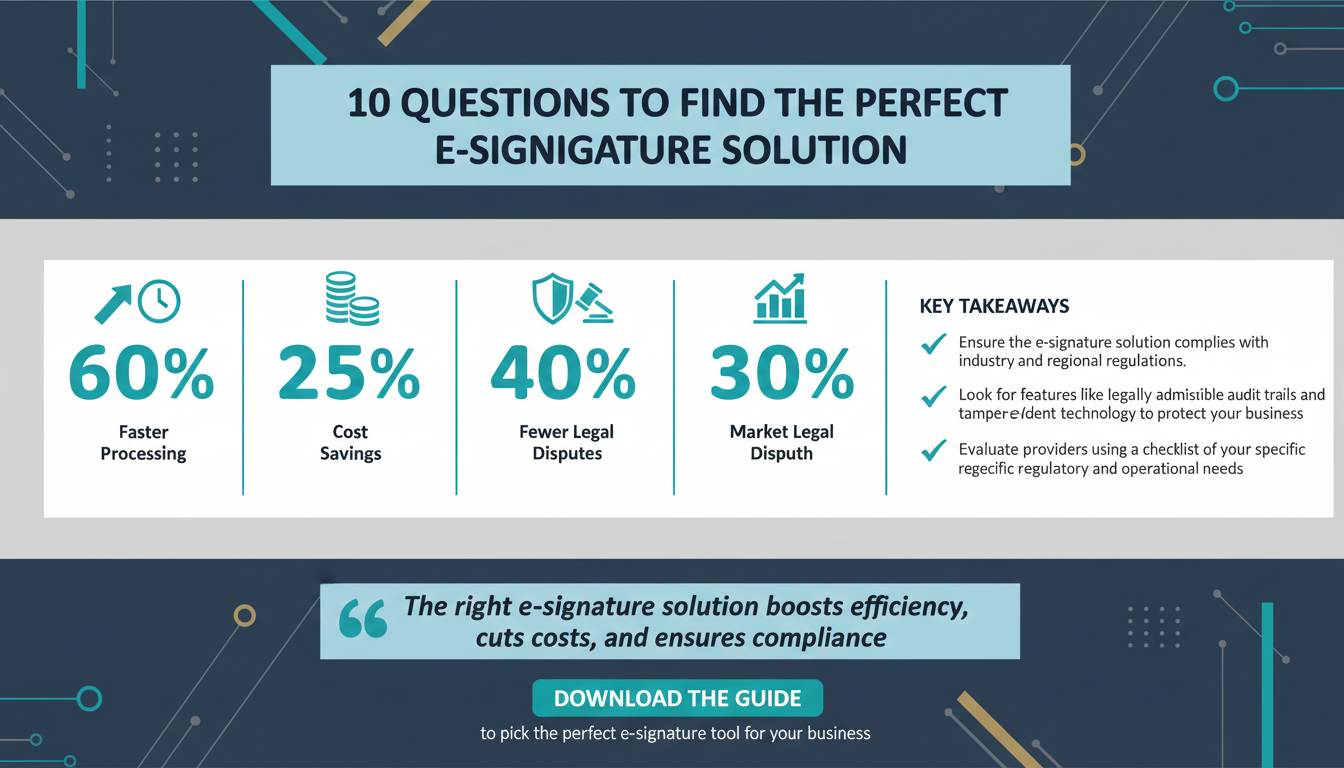
The global e-signature market is experiencing rapid growth, driven by the increasing need for digital transformation across industries. According to Forrester Research, organizations adopting electronic signatures experience a 60% reduction in document processing time and save an average of 25% on operational costs. Moreover, Gartner projects a compound annual growth rate (CAGR) of 30% for e-signature adoption through 2026, underscoring the growing importance of these tools.
However, not all e-signature solutions are created equal. Selecting the wrong platform can result in compliance challenges, inefficient workflows, and unexpected expenses. This comprehensive guide will walk you through the ten most critical questions to ask when evaluating e-signature solutions, helping you make a well-informed decision tailored to your business needs.
Key Takeaway: The e-signature solution you choose will directly impact your business’s efficiency, compliance, and scalability. Asking the right questions upfront is essential to avoid costly mistakes and ensure long-term success.
1. Is the Solution Legally Compliant in Your Industry and Region?
Legal compliance is the bedrock of any e-signature solution. Different industries and regions have specific regulations governing the use of electronic signatures, such as the Electronic Signatures in Global and National Commerce Act (ESIGN Act) in the United States, eIDAS regulations in the European Union, and local standards in countries like Canada, Australia, and India. Ensuring that your chosen solution complies with these regulations is critical to avoiding legal disputes.

For example, healthcare organizations must adhere to HIPAA regulations to protect patient privacy, while financial institutions face stringent requirements from the SEC and FINRA. If your business operates globally, you’ll need a solution that is compliant across multiple jurisdictions to accommodate international clients and partners.
When evaluating providers, inquire about certifications and compliance standards. Does the solution offer legally admissible audit trails? Are the signatures encrypted and protected by tamper-evident technology? These features ensure the integrity of signed documents and protect your business from legal risks.
According to McKinsey, companies that invest in compliance automation tools experience a 40% reduction in legal disputes over five years. This statistic highlights the importance of selecting a solution that prioritizes compliance.
Practical Tip: Create a checklist of regulatory requirements for your industry and region. Use this checklist to evaluate potential e-signature providers and ensure they meet all necessary standards.
2. Does the Platform Integrate Seamlessly with Your Existing Tools?
Integration is a key factor in ensuring smooth workflows and maximizing productivity. Your e-signature solution should work seamlessly with your existing systems, whether you use Salesforce for customer relationship management (CRM), Microsoft 365 for productivity, or Google Workspace for collaboration. Without robust integrations, you risk creating siloed workflows that require manual intervention, reducing efficiency and increasing the likelihood of errors.

Ask potential providers about their API capabilities, pre-built integrations, and compatibility with your most frequently used platforms. For example, does the solution integrate with your document management system to automatically update signed contracts? Can it sync with your enterprise resource planning (ERP) software to streamline procurement processes? The more integrations a platform offers, the easier it will be to incorporate it into your existing technology ecosystem.
Gartner research reveals that organizations with fully integrated systems achieve up to 75% faster workflow execution compared to those that rely on disconnected tools. This statistic underscores the importance of integration in driving operational efficiency.
Practical Tip: List the tools your business uses daily and prioritize solutions that integrate with them. Test integrations during trial periods to ensure compatibility.
3. What Security Features Does the Solution Offer?
Security is non-negotiable when handling sensitive business documents. Look for solutions with robust encryption standards, multi-factor authentication, and tamper-evident signing processes. These features safeguard documents from unauthorized access and ensure the integrity of signed agreements.
Additionally, verify the provider’s data storage practices. Are your documents stored securely in the cloud, and does the provider offer backups? Certifications like SOC 2, ISO 27001, and GDPR compliance signal that the solution adheres to industry best practices for data protection.
According to ZDNet, businesses that prioritize cybersecurity in their digital solutions see a 50% increase in customer trust and retention. This highlights the importance of robust security features in fostering trust with clients and partners.
Practical Tip: Request a security overview from potential providers, including encryption protocols, authentication methods, and storage practices. Conduct a security audit before committing to a solution.
4. How Scalable Is the Solution?
Scalability is crucial for growing businesses. As your organization expands, your e-signature solution must accommodate increased document volumes, additional users, and more complex workflows. Evaluate whether the solution offers pricing tiers or feature upgrades that align with your growth trajectory.
For example, small businesses may initially require basic functionality but later need advanced automation features, bulk signing capabilities, or international support. A scalable solution ensures that you won’t outgrow its capabilities or be forced to switch providers as your needs evolve.
Research from Forbes shows that scalable solutions improve operational efficiency by 30% for businesses experiencing rapid growth. This statistic underscores the importance of choosing a solution that can grow alongside your business.
Practical Tip: Assess your current needs and anticipate future requirements. Choose a solution with flexible pricing and feature upgrades to accommodate growth.
5. What Customization Options Are Available?
Customization allows you to tailor the solution to your brand and workflows. Features such as branded templates, customizable email notifications, and tailored workflows enhance user experience and professionalism. For client-facing industries like real estate, law, and professional services, customization is especially important for maintaining a consistent brand image.
Ask providers whether their solution allows you to add your logo, adjust color schemes, or modify document templates. Customization options can also streamline internal workflows, ensuring that the platform aligns with your specific operational needs.
HubSpot research highlights that personalized digital experiences increase customer satisfaction by 48%. This statistic demonstrates the value of customization in improving user engagement.
Practical Tip: Identify specific customization features that would benefit your business and ensure the provider offers them as part of their solution.
6. What Are the Pricing Structures and Hidden Costs?
Transparent pricing is essential for avoiding unexpected expenses. Many providers offer tiered pricing, but hidden costs can include fees for API access, additional user licenses, or extra data storage. Carefully evaluate the pricing structure and ask for a detailed breakdown of costs to determine the total cost of ownership (TCO).
Consider whether the solution offers a free trial or a money-back guarantee, allowing you to test its features without committing to a long-term contract. Negotiating pricing terms can also save your business money in the long run.
According to Boston Consulting Group, businesses that negotiate SaaS contracts save an average of 22% annually. This statistic highlights the importance of scrutinizing pricing structures before making a decision.
Practical Tip: Request a detailed pricing proposal from providers and look for hidden costs. Use free trials to evaluate value before committing.
7. What Support and Training Does the Provider Offer?
Effective support and training are critical for successful implementation and adoption. Evaluate whether the provider offers 24/7 customer support, onboarding assistance, and educational resources such as webinars and tutorials.
For example, Zignature provides dedicated onboarding specialists who guide clients through platform setup, ensuring minimal workflow disruptions. Providers with comprehensive training programs can also help your team maximize the platform’s features and capabilities.
Practical Tip: Test the provider’s support quality during the trial period and inquire about training resources to ensure smooth adoption.
Conclusion: Making the Right Choice
Choosing the right e-signature solution requires careful evaluation of compliance, integration, security, scalability, customization, pricing, and support. By asking the ten questions outlined in this guide, you can avoid common pitfalls, reduce risks, and select a solution that aligns with your business goals.
For an optimized digital ecosystem, consider complementing your e-signature solution with tools like Apparatuz for workflow automation and Schedly for scheduling. Together, these tools can enhance productivity, security, and scalability.
Ready to explore a secure, scalable, and customizable e-signature solution? Learn more about our platform features or view our pricing plans.